CheckMarket
Enterprise survey tool
Sin valoraciones
0 reviews
Trabaja con
Support
Desarrollador
CheckMarket
Create a ticket in Zendesk when respondents to your survey give certain answers.
For instance, you could ask a respondent in a survey if they would like to be contacted and if so have a ticket created in Zendesk so that your customer support staff can call them.
Another use might be if a respondent indicates that they are very unhappy or are planning to stop using your services, you could have a ticket created so that someone in your organization contacts them to win them back, maybe with some kind of interesting offer.
Cómo instalar
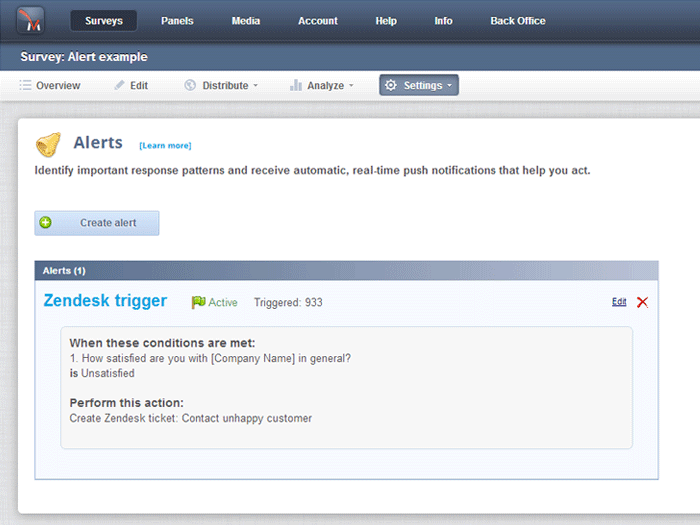
Setting up this kind of alert is easy to do. First go to “Alerts “ in your survey.
Click on “Create alert”
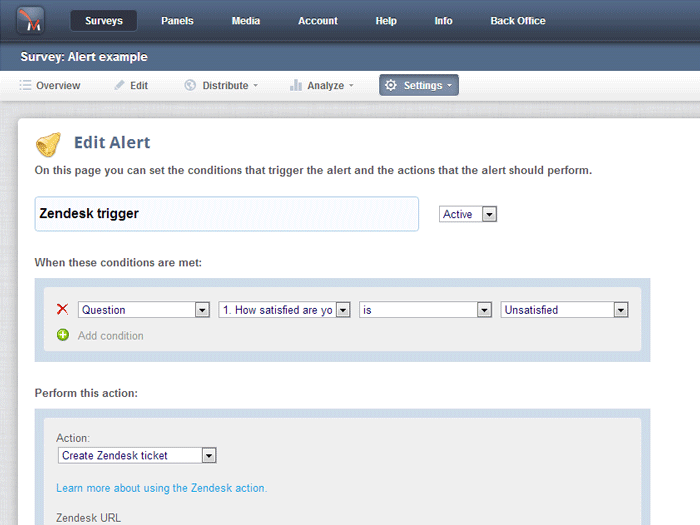
Enter the trigger criteria
Select “Create Zendesk ticket” from the actions list.
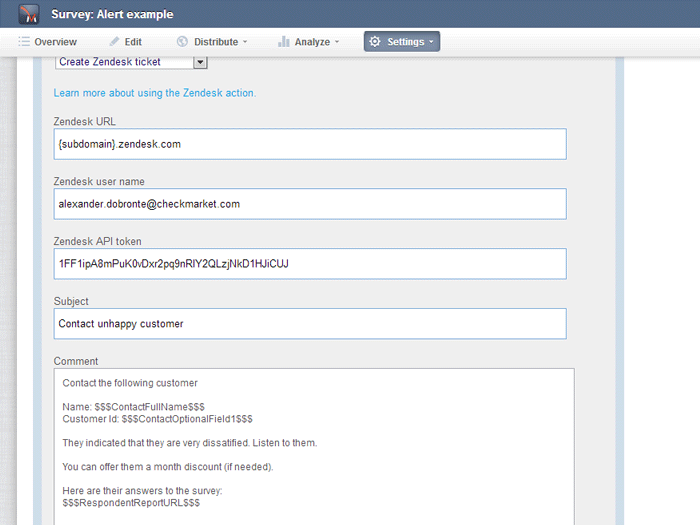
Enter your Zendesk URL -{subdomain}.zendesk.com
Enter your Zendesk username
Enter your Zendesk API token (You can find this in Zendesk under settings->channel->API )
Enter the subject of the ticket
Enter the comment for the ticket
Click “Save”
Qué dicen los usuarios
Dejar una evaluación
Comparte tu experiencia con el resto de la comunidad Zendesk