Best help desk software for small businesses
Learn more about the top help desk software small businesses use to manage and resolve support requests. Try our small business help desk software for free.



Mozhdeh Rastegar-Panah
Senior Director, Product Marketing
Última actualización en March 5, 2026
Help desk software built for growing small businesses
Growing small businesses face increasing pressure to deliver fast and seamless customer support across every channel. As ticket volumes rise and expectations climb, teams often struggle to keep up with limited staff and disconnected tools.
The right help desk software for small businesses brings everything together in one unified platform, from ticketing and analytics to automation and AI. With a careful balance of human support and AI-powered assistance, growing teams can scale efficiently while improving response times. At the same time, they maintain the personal touch that builds long-term customer loyalty.
Unify every customer conversation in one workspace
Growing teams can’t afford the technical debt associated with having disconnected tools. A unified workspace brings email, chat, social, messaging, and voice into one system.
Agents see full conversation history and customer context in a single view. This reduces tab switching, improves collaboration, and keeps service consistent as volume grows.
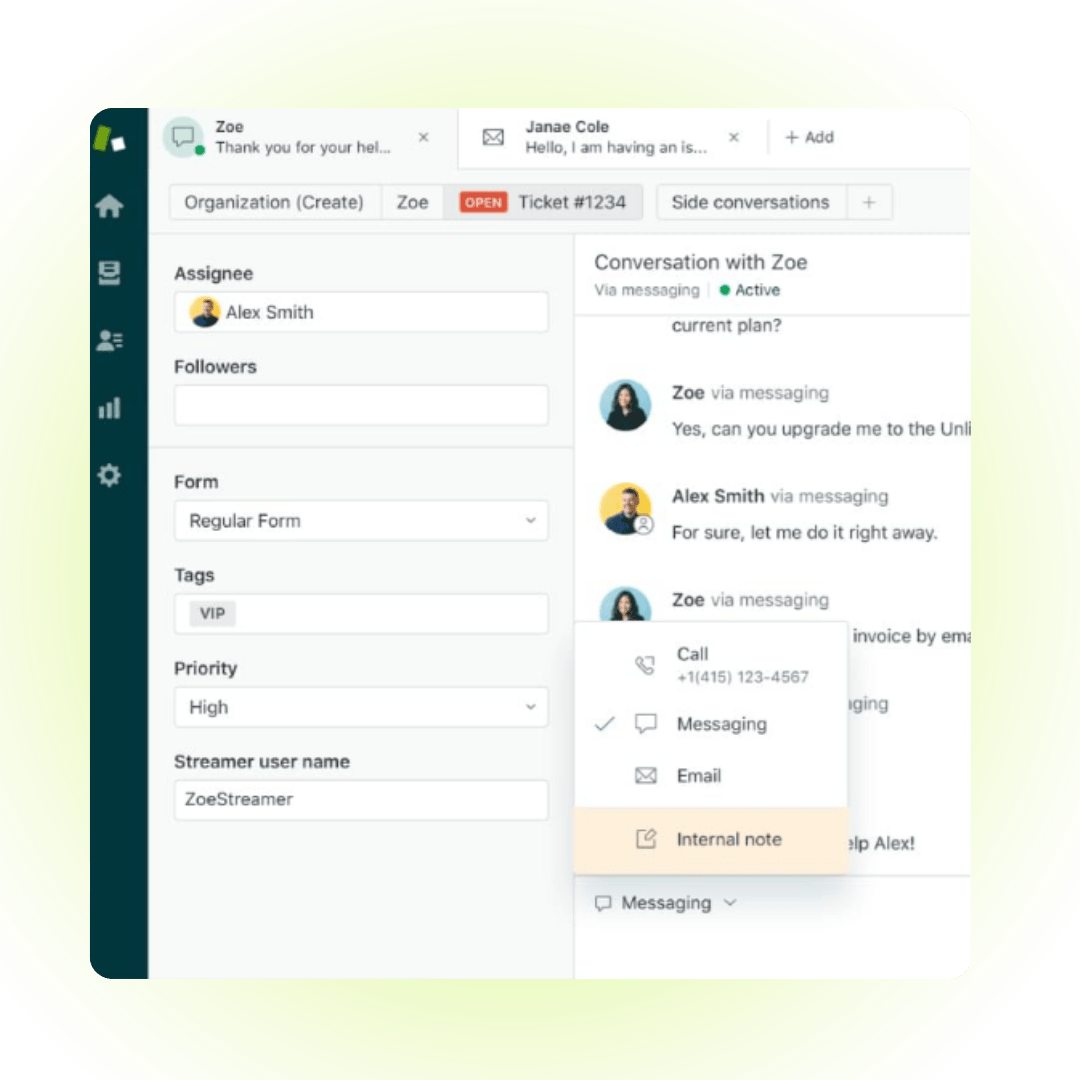
Explore the complete Zendesk customer service solution.
Deliver instant support with AI agents
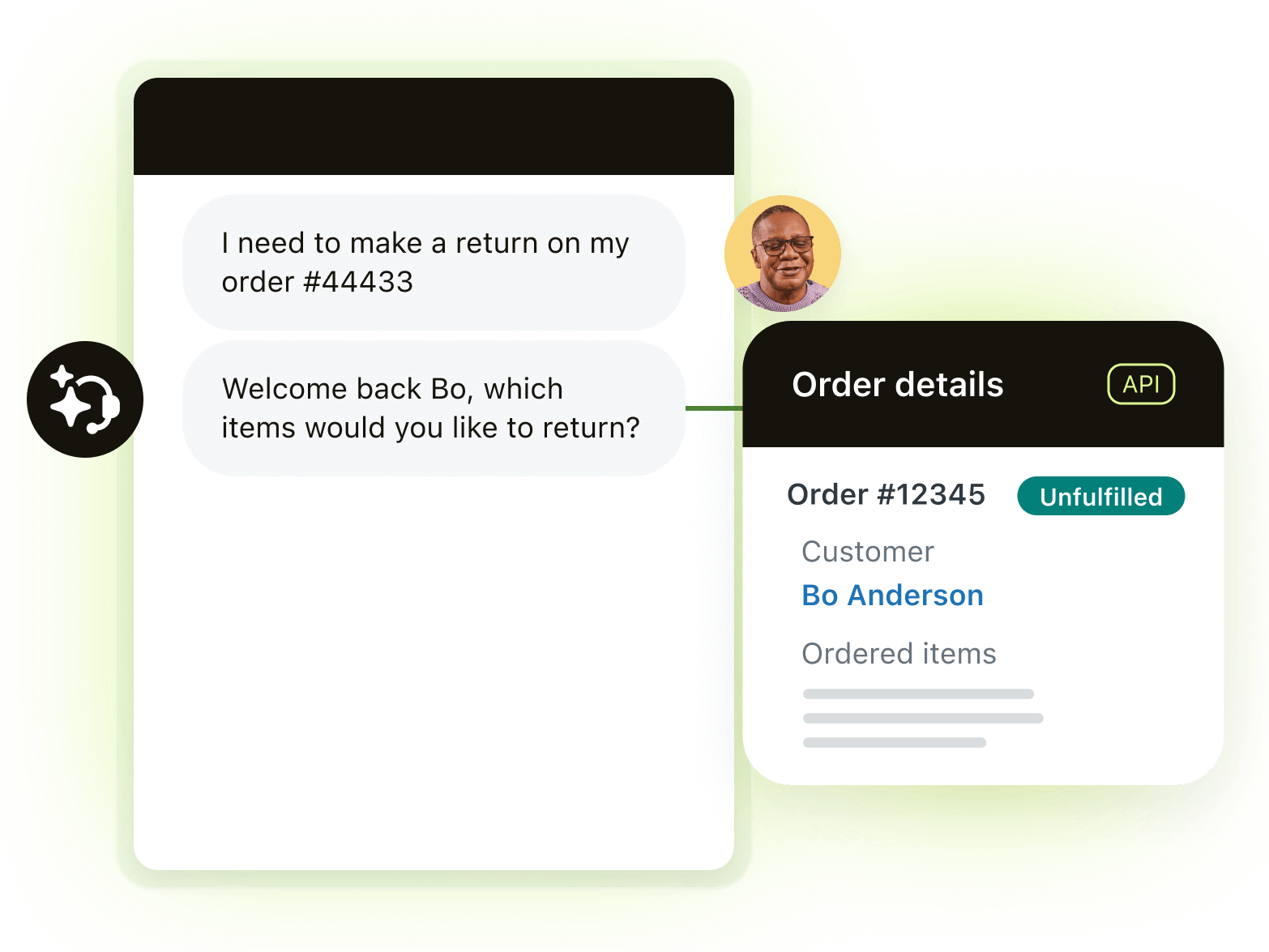
See how you can automate over 80% of interactions with AI agents.
AI agents resolve common queries instantly across every channel. Customers get fast, accurate answers without waiting in a queue.
Human agents stay focused on complex issues. Built-in controls ensure responses remain secure, brand-aligned, and transparent.
Empower self-service with an AI-enhanced knowledge base
A smart knowledge base helps customers find answers independently. AI-powered suggestions make content easier to create and maintain.
As self-service improves, ticket volume decreases. Teams resolve more issues automatically while maintaining a personal support experience.
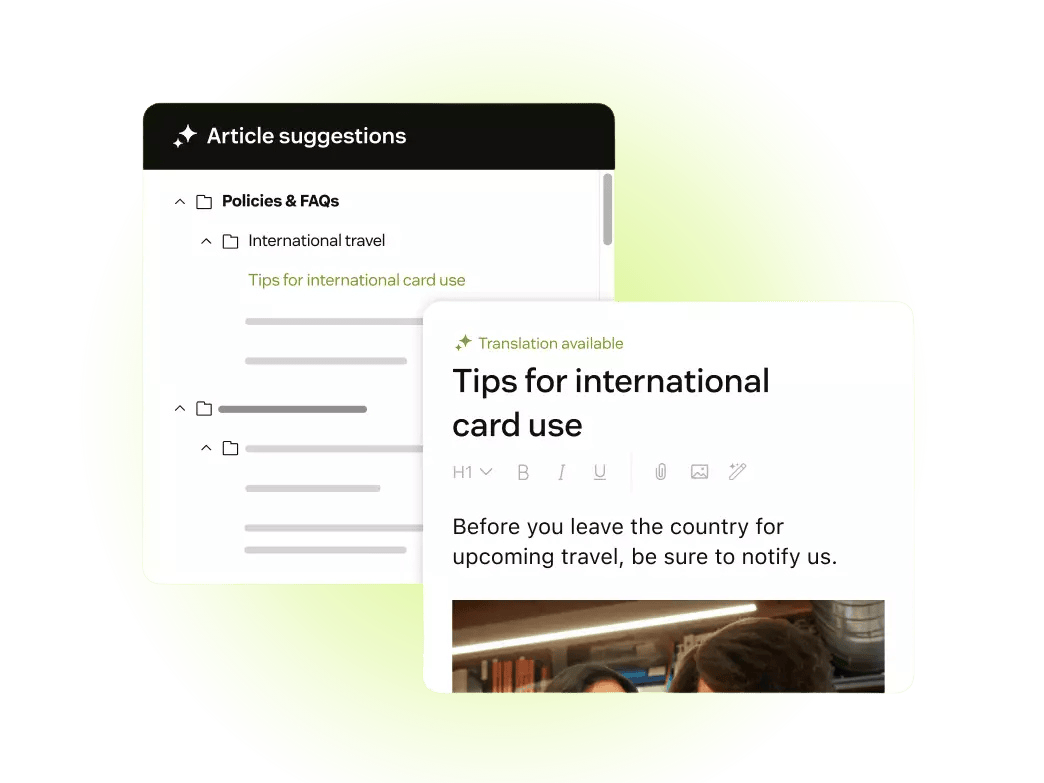
Provide better self-service with knowledge base software.
Automate repetitive tasks with no-code workflows
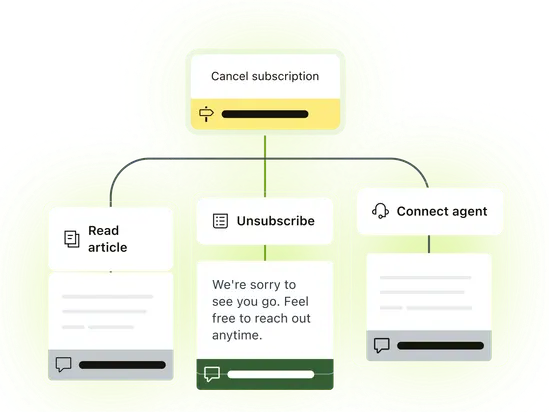
Streamline support with no-code automation.
Manual processes slow small teams down. No-code workflows route tickets, trigger approvals, and update systems automatically.
Automation removes bottlenecks and reduces repetitive tasks. Teams respond faster without increasing operational complexity.
Turn support data into actionable insights
Real-time reporting provides visibility into ticket volume, response times, and customer satisfaction scores. Leaders gain clarity without complex setup.
AI-powered insights surface trends early, so that teams can make proactive decisions instead of reacting to problems.
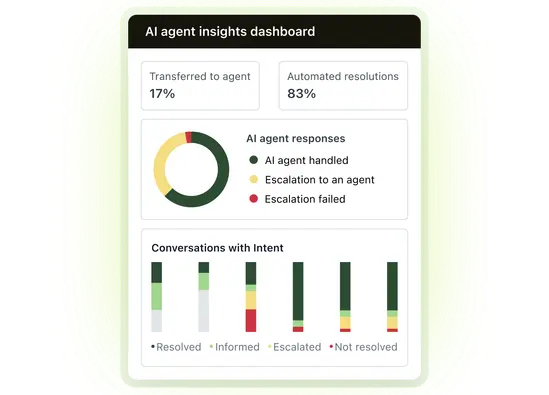
Gain unique insights with advanced reporting and analytics.
Scale customer support without adding headcount
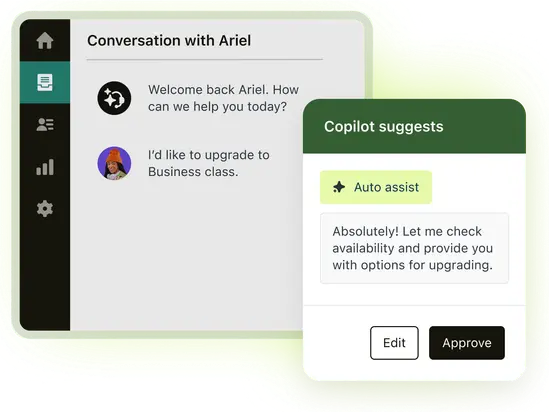
Boost agent productivity with AI Copilot.
As demand grows, small teams need leverage. Zendesk AI Copilot helps agents resolve more tickets with real-time guidance and suggested responses.
Support stays fast and consistent. Businesses protect margins while delivering better customer experiences.
More in this guide:
- What is help desk software for small businesses?
- Benefits of small business help desk software
- Small business help desk software comparison chart
- The 12 best help desk software for small businesses
- How to choose the right help desk software for a small business
- Frequently asked questions
- Try Zendesk help desk software for small businesses for free
What is help desk software for small businesses?Small business help desk software provides tools that help teams manage and resolve customer or employee support requests efficiently. It centralizes inquiries, tracks progress, and structures communication without the complexity of enterprise systems. Many platforms also include automation and AI capabilities that help small teams scale support as demand grows. |
Benefits of small business help desk software
Small businesses often manage growing support demands with limited staff and resources. As ticket volumes increase, maintaining fast, consistent service becomes more difficult.
The right help desk software brings structure, automation, and visibility to support operations. It helps small teams respond faster, reduce costs, and scale with confidence.
Increased customer and employee retention
Help desk software gives agents full customer context in one place. With unified channels and clear ticket histories, teams resolve issues faster and deliver more personalized support. For employees, automation reduces repetitive work and administrative burden. Meanwhile, clear workflows and performance visibility improve job satisfaction and reduce burnout as support volumes grow.
Lowered operational costs
Automation reduces manual tasks and shortens resolution times, meaning that agents handle more requests without increasing staffing costs. Similarly, centralized communication and self-service options deflect routine tickets, which lowers overhead while maintaining consistent service quality.
Unified data
Omnichannel help desk software centralizes customer interactions in one workspace. Sales, support, and customer success teams access complete conversation histories without switching systems. Breaking down silos improves collaboration and consistency, helping teams deliver more informed responses and avoid duplicated effort.
Greater visibility and insight
Built-in reporting dashboards provide real-time visibility into response times, ticket volumes, and customer satisfaction. Leaders quickly identify trends and performance gaps. With clearer insights, teams make faster decisions and allocate resources more effectively. This supports continuous improvement as demand increases.
Small business help desk software comparison chart
Take a look at the top help desk tools for small businesses side-by-side to see which products have the features you need within your budget.
|
Software providers |
Starting price |
Free trial |
Key features |
|
Zendesk |
$19 per agent/month (billed annually) |
14 days |
|
|
Freshdesk |
$0 per month (2 agents) |
14 days |
|
|
Salesforce Small Business Service |
$25 per user/month |
30 days |
|
|
Zoho Desk |
$0 per month (3 agents) |
15 days |
|
|
Front |
$19 per seat/month (billed annually) |
14 days |
|
|
Hiver |
$0 per month (limited tools) |
7 days |
|
|
Help Scout |
$0 per user/month (1 inbox) |
Available |
|
|
HubSpot Service Hub |
$0 per month (2 users) |
Unavailable |
|
|
HappyFox Help Desk |
$0 per month (5 users) |
Unavailable |
|
|
Jira Service Desk |
$0 per month (3 users) |
7 days |
|
|
SolarWinds |
$39 per month |
30 days |
|
|
Gorgias |
$10 per month |
Available |
|
The 12 best help desk software for small businesses
Discover the top help desk software for growing businesses. We based our roundup on customer reviews, overall features, and how each solution meets typical SMB needs.
- Zendesk: Best for AI-powered CS
- Freshdesk: Best for working with collaborators
- Salesforce Small Business Service: Best for Salesforce sales CRM integration
- Zoho Desk: Best for free usage
- Front: Best for inbound sales
- Hiver: Best for Google Workspace integration
- Help Scout: Best for using a shared inbox
- HubSpot Service Hub: Best for ticket segmentation
- HappyFox Help Desk: Best for identifying and managing ticket tasks
- Jira Service Desk: Best for Atlassian integration
- SolarWinds: Best for IT use cases
- Gorgias: Best for e-commerce use cases
1. Zendesk
Best for AI-powered CS
|
Starting price |
Free trial |
Key features |
|
$19 per agent/month billed annually Explore more Zendesk pricing plans. |
14 days |
|
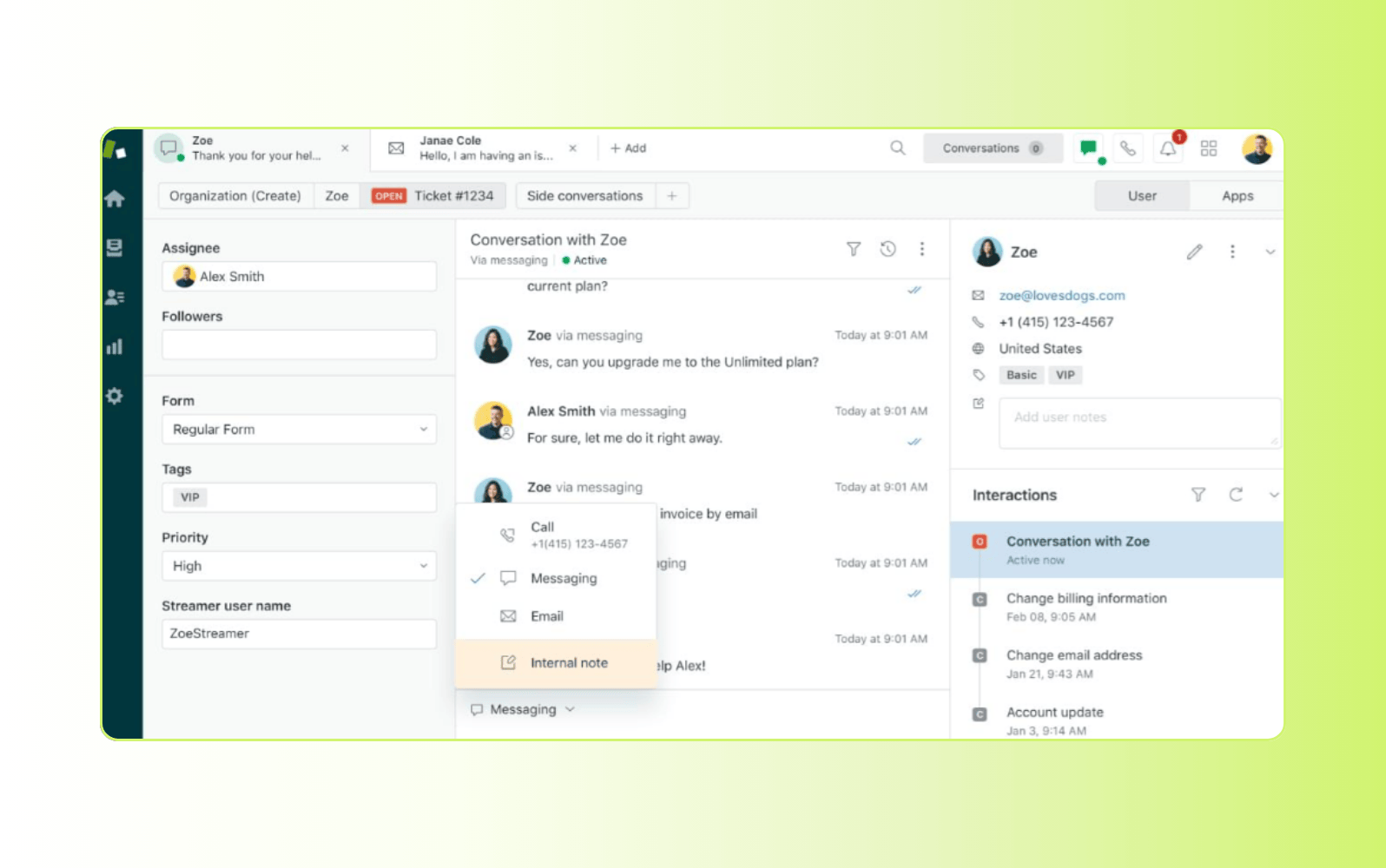
Zendesk is built for growing small businesses that need powerful and affordable help desk software. It combines AI-powered automation and a unified workspace to deliver fast, consistent service at scale. The platform integrates with popular applications through the Zendesk Marketplace, helping teams streamline workflows and stay productive. Designed for growing businesses, Zendesk helps teams handle higher support volumes without increasing headcount.
Users can tag coworkers on tickets, share internal notes, and see who is working on the same issue in real time. This prevents duplicate work while improving coordination. Zendesk AI Copilot works alongside agents, providing real-time guidance that improves speed and consistency. Zendesk AI supports advanced knowledge management tools, generating new articles from a few bullet points and helping teams expand self-service faster. Built-in problem management software links related tickets and incidents to identify root causes and prevent recurring issues.
The software supports businesses at every stage of growth. Qualifying startups receive six months of free access through Zendesk for Startups. The program includes customer service, sales, and engagement tools to help startups launch quickly and scale with confidence.
|
Pros |
Cons |
|
|
What people are saying:
- “We used Zendesk for our first startup and it was very helpful for our small team to manage every day tasks.” – Verified user, G2 review.
- “As a small nonprofit, we required a system that was robust, affordable, and simple to implement. Zendesk surpassed our expectations on all fronts.” – Verified user, G2 review.
- “Whether you're a team of two or two hundred, the automation and triggers keep things from falling through the cracks.” – Verified user, G2 review.
2. Freshdesk
Best for working with collaborators
|
Starting price |
Free trial |
Key features |
|
$0 per month (2 agents) |
14 days |
|
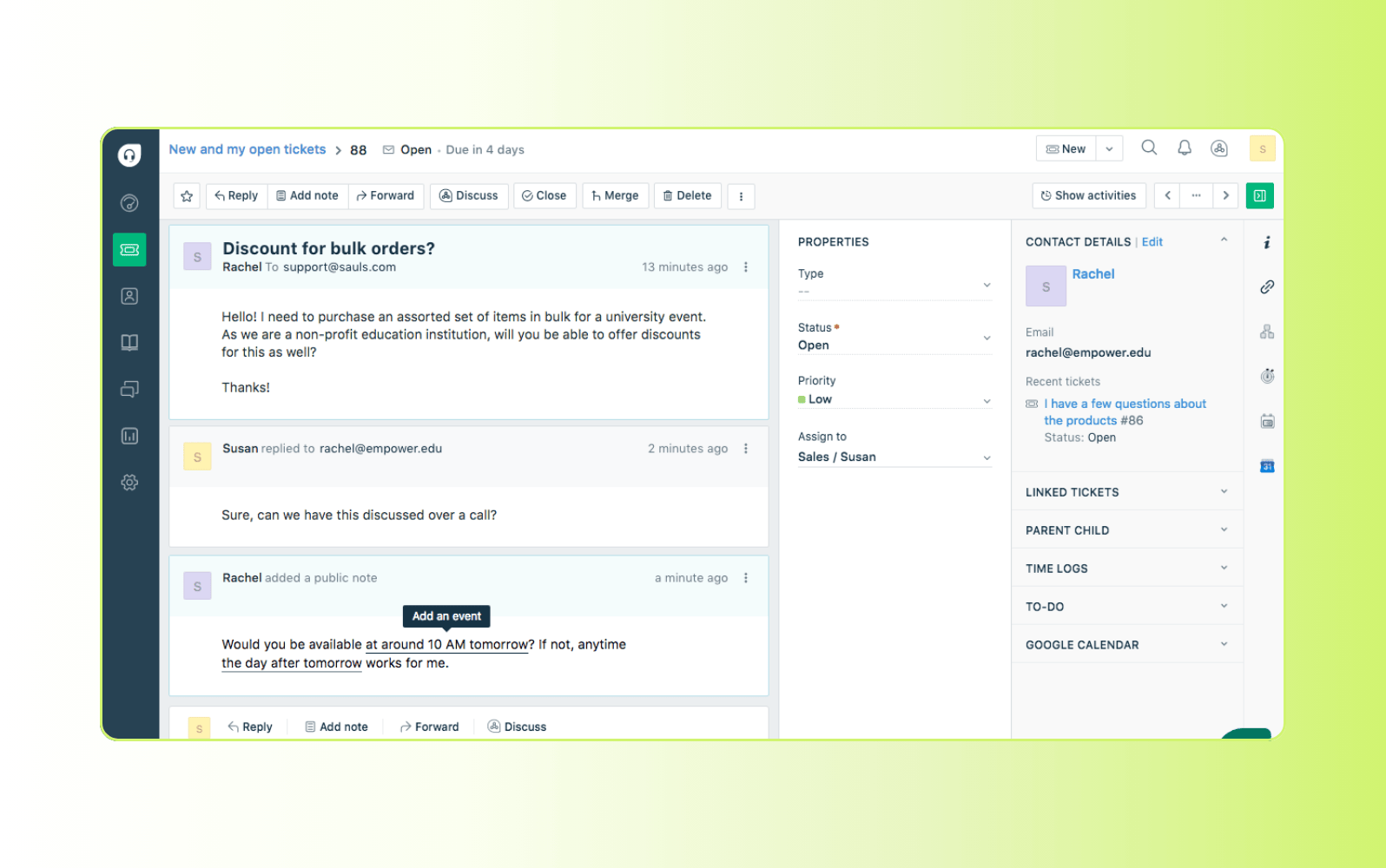
Freshdesk’s cloud-based help desk software is a contact center solution and ticketing system for small businesses. The software provides customer health analytics and automated workflows to assist with everyday help desk tasks. While it supports omnichannel performance, the feature is only available with the Freshdesk Omni plan. The other plans are multichannel.
The platform also works with other Freshworks tools, like Freshchat, allowing agents and bots to talk to customers across channels like WhatsApp, Facebook, and SMS. Additionally, teams can bring in users who aren’t on the plan to collaborate on issues without needing another license.
|
Pros |
Cons |
|
|
What people are saying:
- "It has the necessary features we need to not just handle, but also manage and improve on our ticket handling." – Verified user, G2 review.
- "too complex and challenging to set up without technical expertise" – Verified user, G2 review.
- "Freshdesk covers most basic needs from a piece of software you would expect." – Verified user, G2 review.
Learn more: Compare Zendesk vs. Freshdesk.
3. Salesforce Small Business Service
Best for native sales CRM integration
|
Starting price |
Free trial |
Key features |
|
$25 per user/month |
30 days |
|
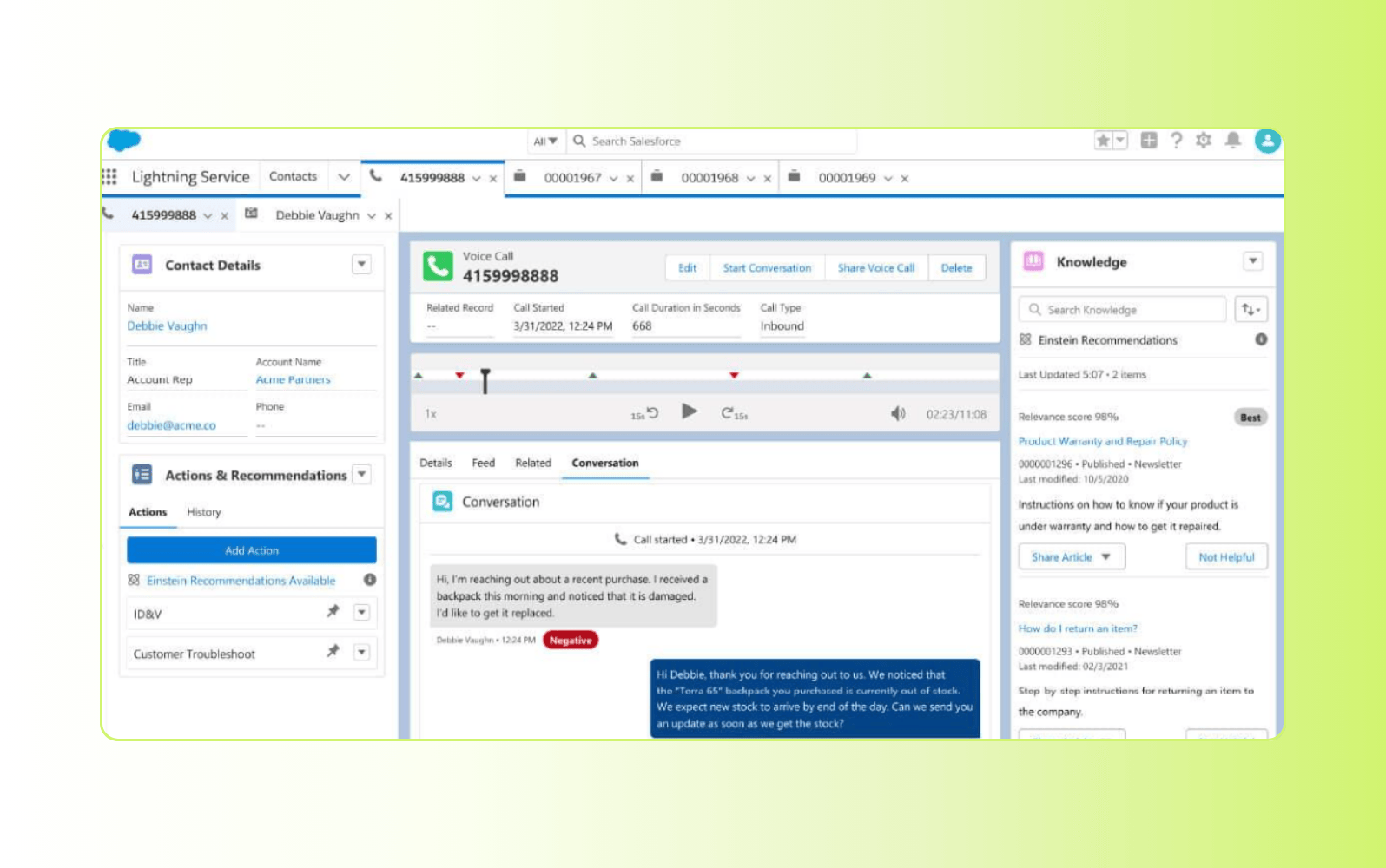
Businesses can manage support requests and automate repetitive administrative tasks with Salesforce Small Business Service. Users can deliver customer support and manage incoming tickets from digital channels like social media or live chat. However, Salesforce primarily specializes in sales-related functions, so its customer support guidance may not be as robust as dedicated help desk services.
Small Business plan users can access the Salesforce CRM to track sales pipelines. The case management tools enable users to handle customer inquiries and issues, including case creation, assignment, and resolution tracking. Additionally, the platform provides insights through customizable reports and dashboards, empowering businesses to make data-driven decisions and improve overall customer satisfaction.
|
Pros |
Cons |
|
|
What people are saying:
- "An efficient and scalable customer service solution." – Verified user, G2 review.
- "Knowledge and the knowledge base/help center products are hard to use." – Verified user, G2 review.
- "While Salesforce Service Cloud is a powerful and comprehensive platform, it can be quite complex to set up and manage." – Verified user, G2 review.
Learn more: Compare Zendesk vs. Salesforce.
4. Zoho Desk
Best for free usage
|
Starting price |
Free trial |
Key features |
|
$0 per month (3 agents) |
15 days |
|
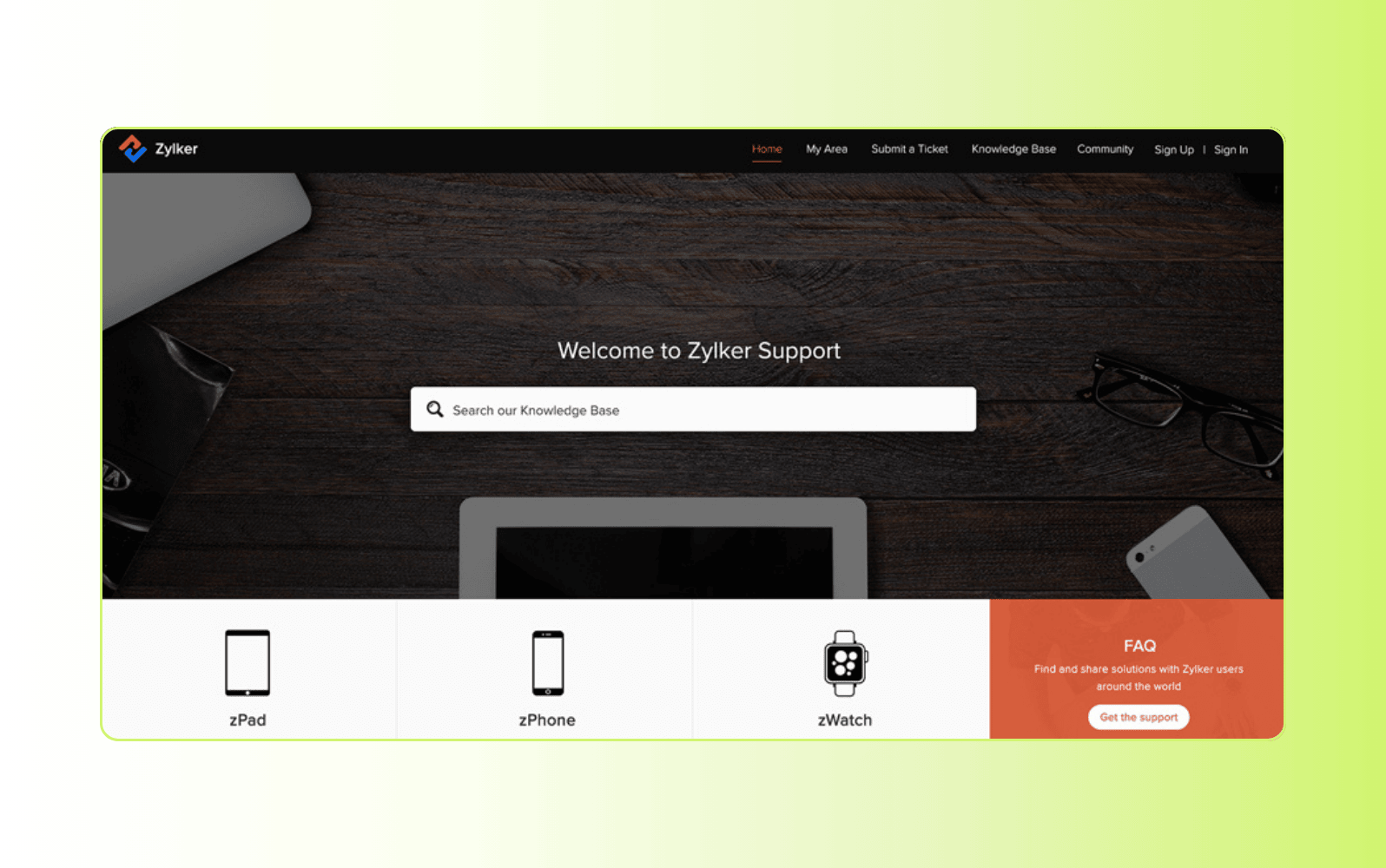
Zoho Desk lets users view all customer conversations in a single queue where they can filter by deadline, priority, status, or customer business rules. The mobile app also helps with ticket management by making it easy for agents to tag, assign, and escalate tickets from anywhere.
Small teams can use the free plan to create a knowledge base, manage tickets, and customize the look. They can also utilize Zoho Desk Express to log and triage tickets, assess customer history, automate workflows to eliminate bottlenecks, and monitor customer satisfaction with advanced reporting dashboards.
|
Pros |
Cons |
|
|
What people are saying:
- "I don't like the learning curve and complexity of Zoho Desk." – Verified user, G2 review.
- "I like that it has a lot of features that we can really utilize to enhance our customer service department." – Verified user, G2 review.
- "Zoho is a good application, but I wasn't lucky enough to have good pre-sales service." – Verified user, G2 review.
Learn more: Compare Zendesk vs. Zoho Desk.
5. Front
Best for inbound sales
|
Starting price |
Free trial |
Key features |
|
$19 per seat/month (billed annually) |
14 days |
|
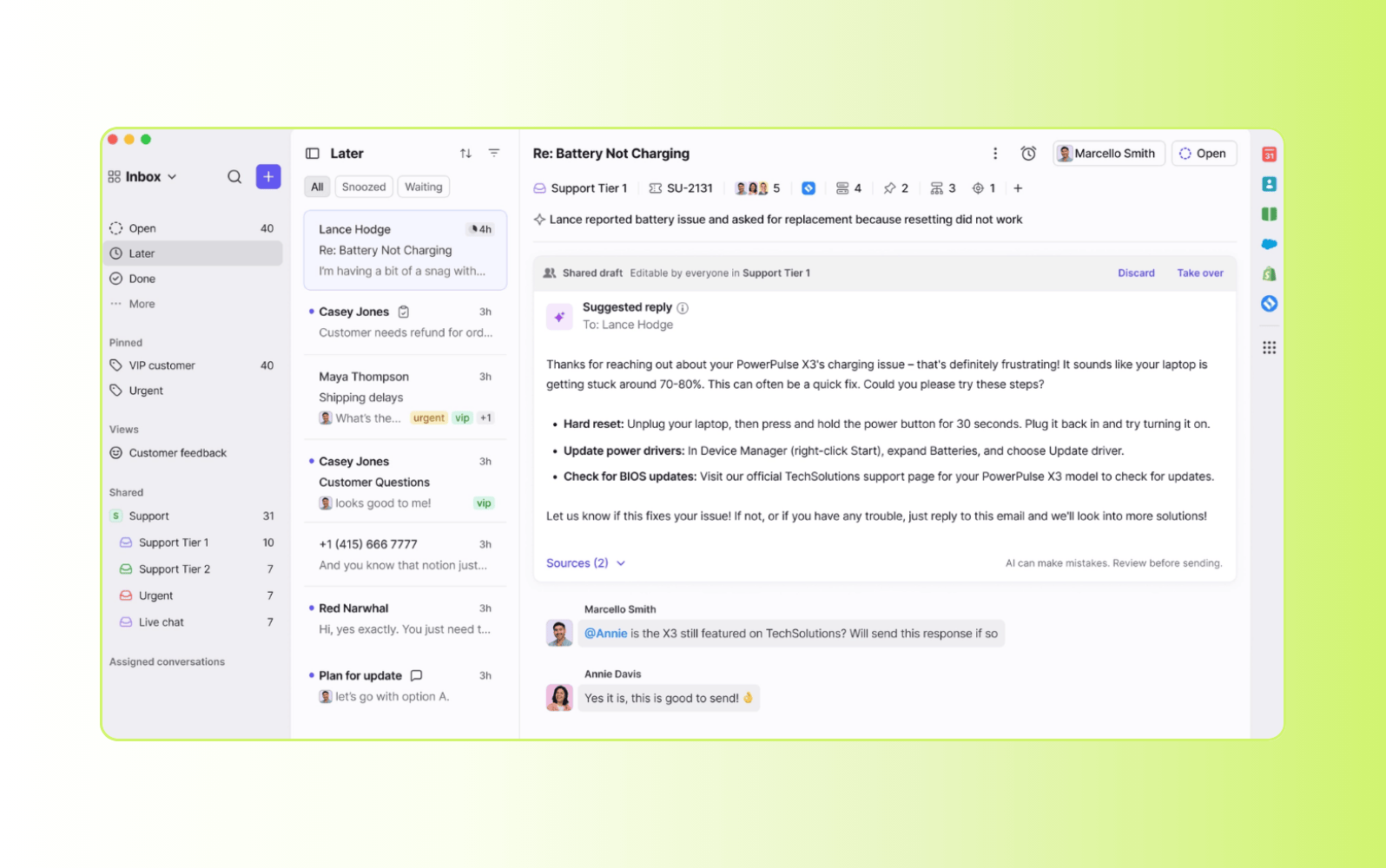
Front allows users to manage all customer communications from email, live chat, and SMS in a collaborative hub. Support team members can use Front to manage high volumes of support requests by accessing information from a single customer view.
Team inboxes allow for cross-functional collaboration, message templates support consistent replies, and automatic load balancing ensures even ticket assignment. In addition to customer support, Front can also assist inbound sales desks in automating lead routing and scheduling.
|
Pros |
Cons |
|
|
What people are saying:
- "Very simple to set up, customize, build teams, workflows, and automate." – Verified user, G2 review.
- "Some of the UI can be clunky and difficult for our less tech savvy employees to pick up." – Verified user, G2 review.
- "I like the email reply feature and how the AI tool makes everything easier." – Verified user, G2 review.
Learn more: Compare Zendesk vs. Front.
6. Hiver
Best for Google Workspace integration
|
Starting price |
Free trial |
Key features |
|
$0 per month (limited tools) |
7 days |
|
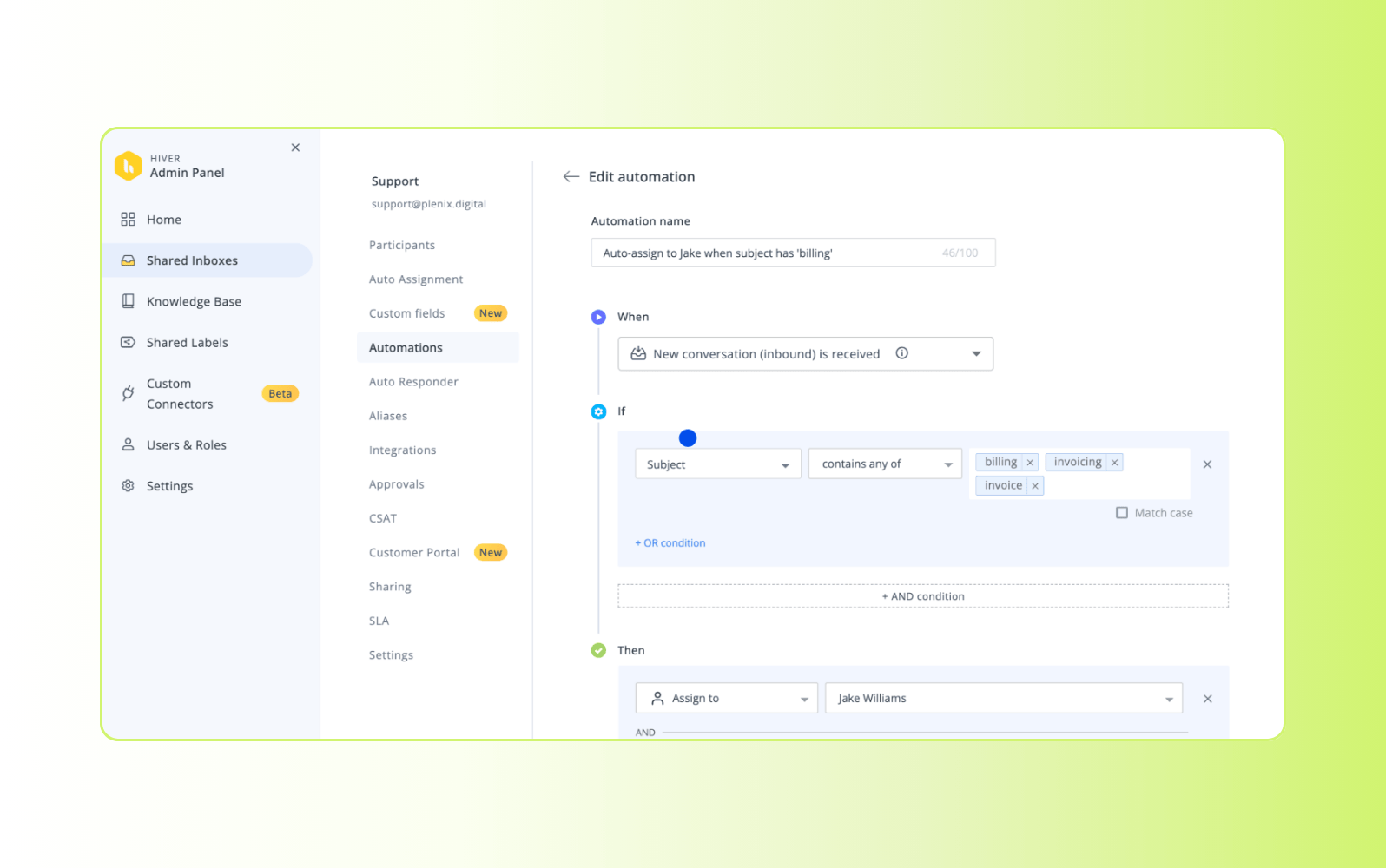
Hiver is a help desk solution that is built to work with Google Workspace. It integrates with Gmail, allowing teams to manage customer emails, track interactions, and collaborate effectively without leaving their inboxes. Features like collision alerts, shared drafts, and internal notes let teams work together and deliver consistent communication.
Additionally, Hiver's mobile app enables agents to stay connected and respond to customer inquiries on the go. Hiver’s platform also specializes in customer service, IT service management (ITSM), and operations.
|
Pros |
Cons |
|
|
What people are saying:
- "Since it's right in Gmail, it's not a pain to learn, everything is already implemented." – Verified user, G2 review.
- "Sometimes it mixes up too many emails and I can't separate the ones directly addressed to me." – Verified user, G2 review.
- "It’s a strong fit for small to mid-sized teams who want structure without complexity." – Verified user, G2 review.
7. Help Scout
Best for using a shared inbox
|
Starting price |
Free trial |
Key features |
|
$0 per user/month (1 inbox) |
Available |
|
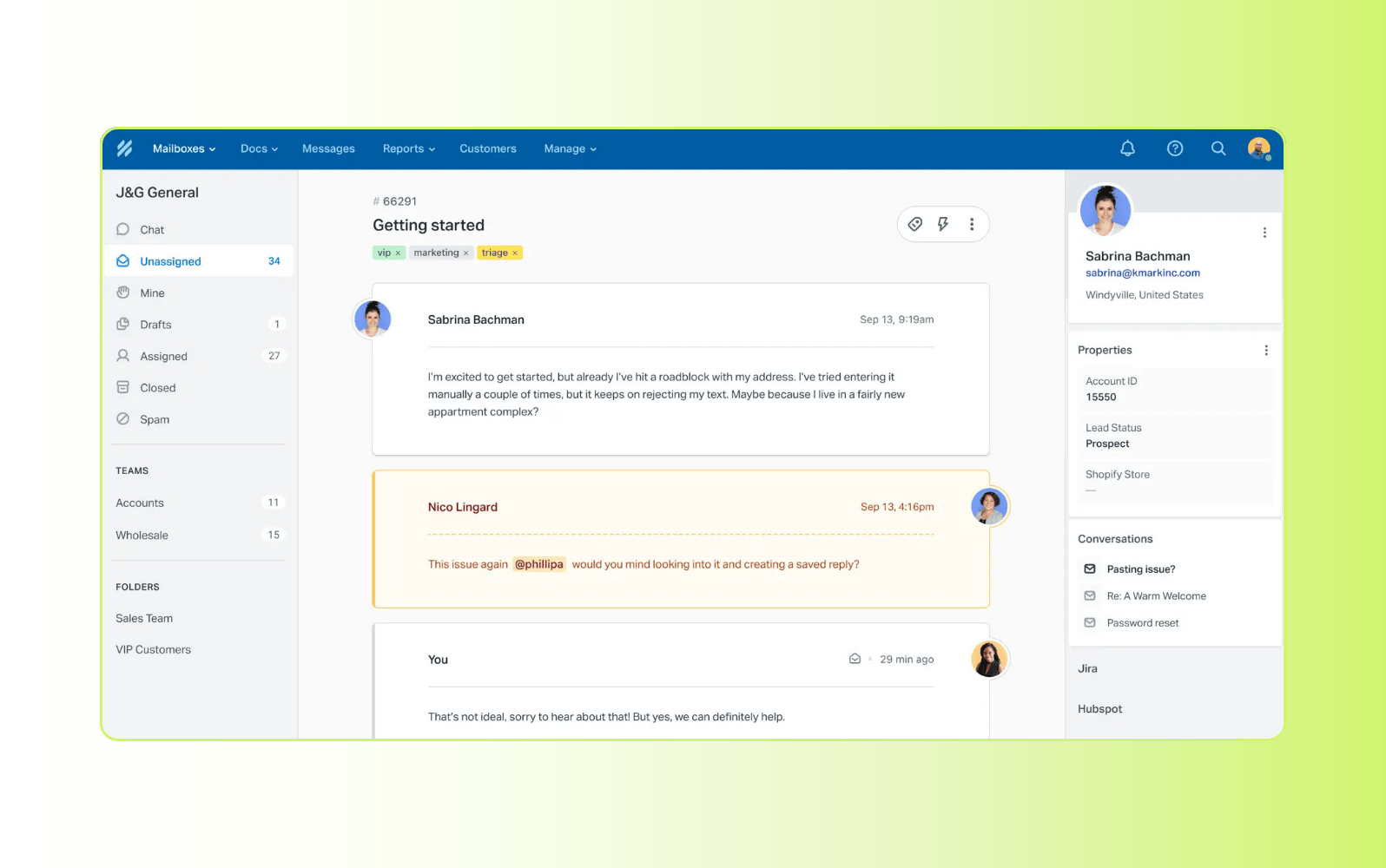
The Help Scout small business help desk solution uses a shared inbox to allow teams to collaborate effectively on customer conversations. This shared space centralizes all customer interactions, enabling direct communication and knowledge sharing among team members.
Customer conversations are filtered into a single location where support team members can assign, tag, and organize conversations. Help Scout also provides features like customer profiles, which store customer history and interactions.
|
Pros |
Cons |
|
|
What people are saying:
- "Sometimes I wish it had more advanced functionality." – Verified user, G2 review.
- "It has a friendly interface and requires no inputs of crazy data to work well." – Verified user, G2 review.
- "It is quite easy to use. Budget friendly." – Verified user, G2 review.
Learn more: Compare Zendesk vs. Help Scout.
8. HubSpot Service Hub
Best for ticket segmentation
|
Starting price |
Free trial |
Key features |
|
$0 per month (2 users) |
Unavailable |
|
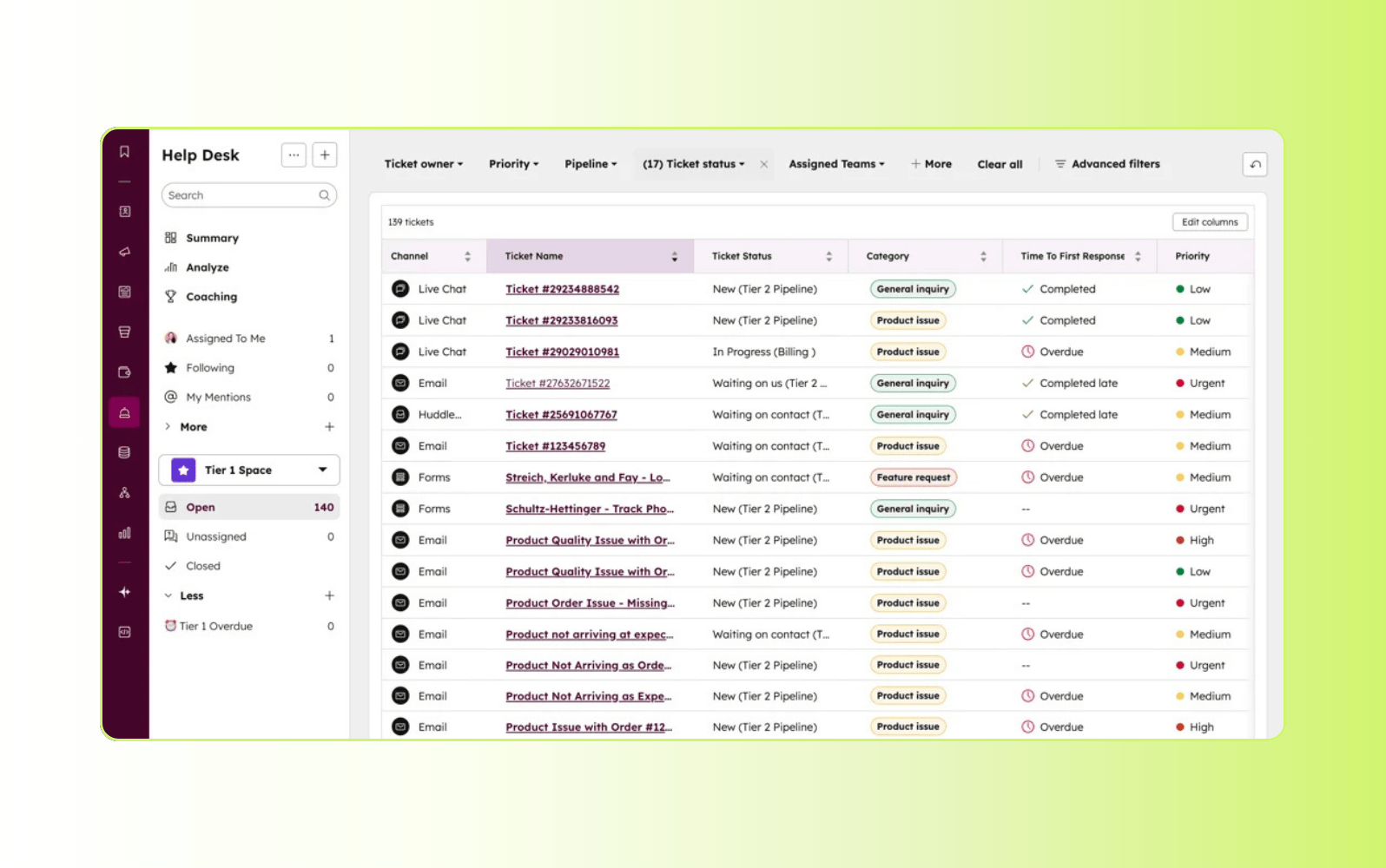
HubSpot’s help desk is a part of HubSport Service Hub and includes features like ticketing, customer feedback, and a knowledge base for customer self-service. Teams can use pipelines to segment tickets based on factors like the relevant region or brand so they can handle them properly.
Hubspot Service Hub helps users monitor customer conversations and support requests. Support teams can use the software to resolve tickets with an integrated system, automated ticket routing and triage, SLA management, performance metrics, and more.
|
Pros |
Cons |
|
|
What people are saying:
- "I found it a bit challenging to navigate at first, mainly because Hubspot offers such a wide range of features." – Verified user, G2 review.
- "The automation tools save a lot of manual effort." – Verified user, G2 review.
- "Sometime's there's not enough data points." – Verified user, G2 review.
Learn more: Compare Zendesk vs. Hubspot.
9. HappyFox Help Desk
Best for identifying and managing ticket tasks
|
Starting price |
Free trial |
Key features |
|
$0 per month (5 users) |
Unavailable |
|
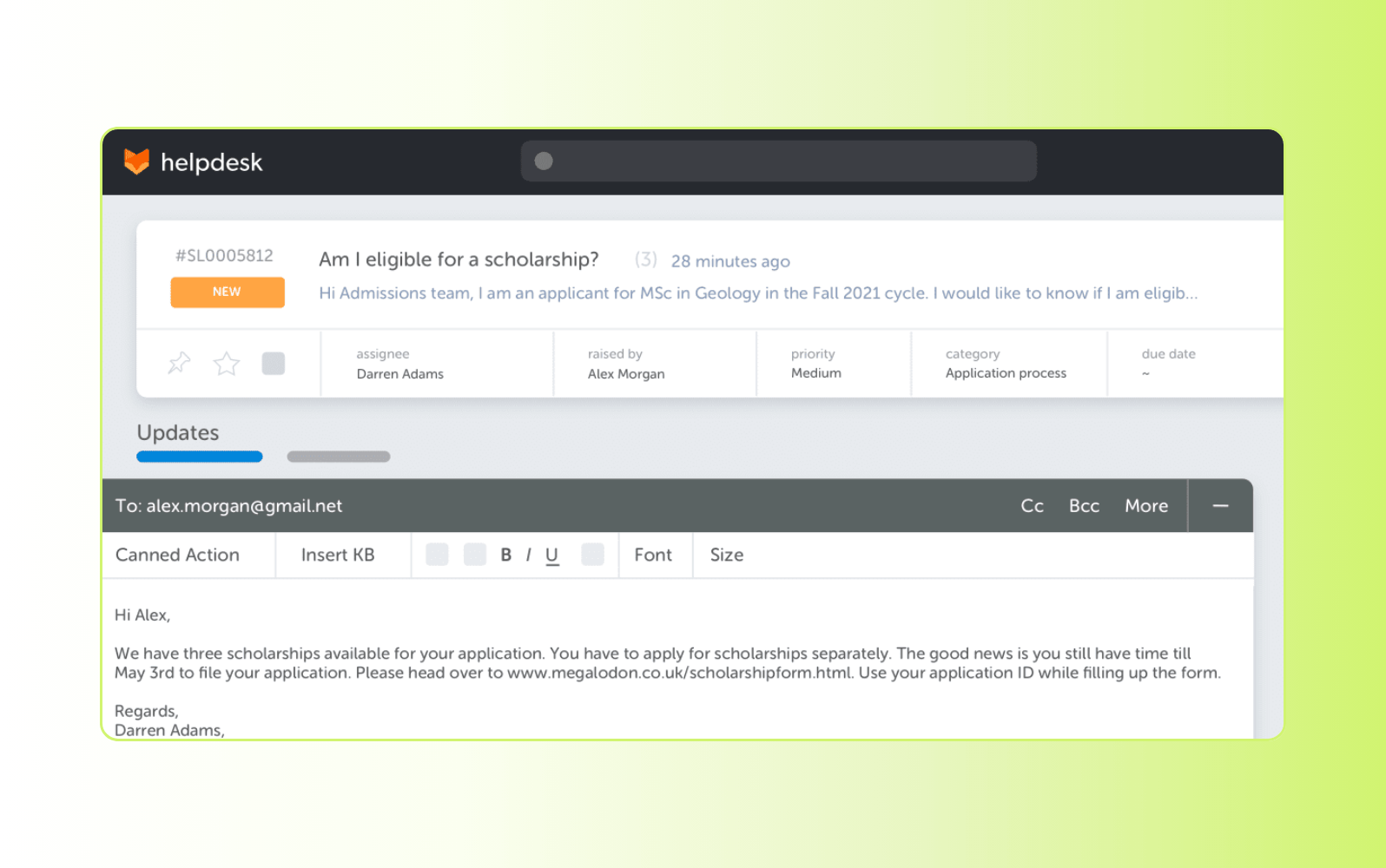
The HappyFox Help Desk offers task management tools so customer support agents can break down the steps needed to resolve issues. Teams can create, assign, and track tasks related to tickets, including setting due dates.
Beyond task management, HappyFox provides a shared inbox for team collaboration, automated workflows, and a knowledge base for self-service support. It also integrates with various other business applications so users can connect with existing tools and workflows.
|
Pros |
Cons |
|
|
What people are saying:
- "The reports may be confusing, and some of its features require a higher tier." – Verified user, G2 review.
- "The ease of use is on par with industry standards and the customization is a bonus" – Verified user, G2 review.
- "I enjoy the aesthetics and easy to use features" – Verified user, G2 review.
10. Jira Service Desk
Best for Atlassian integration
|
Starting price |
Free trial |
Key features |
|
$0 per month (3 users) |
7 days |
|
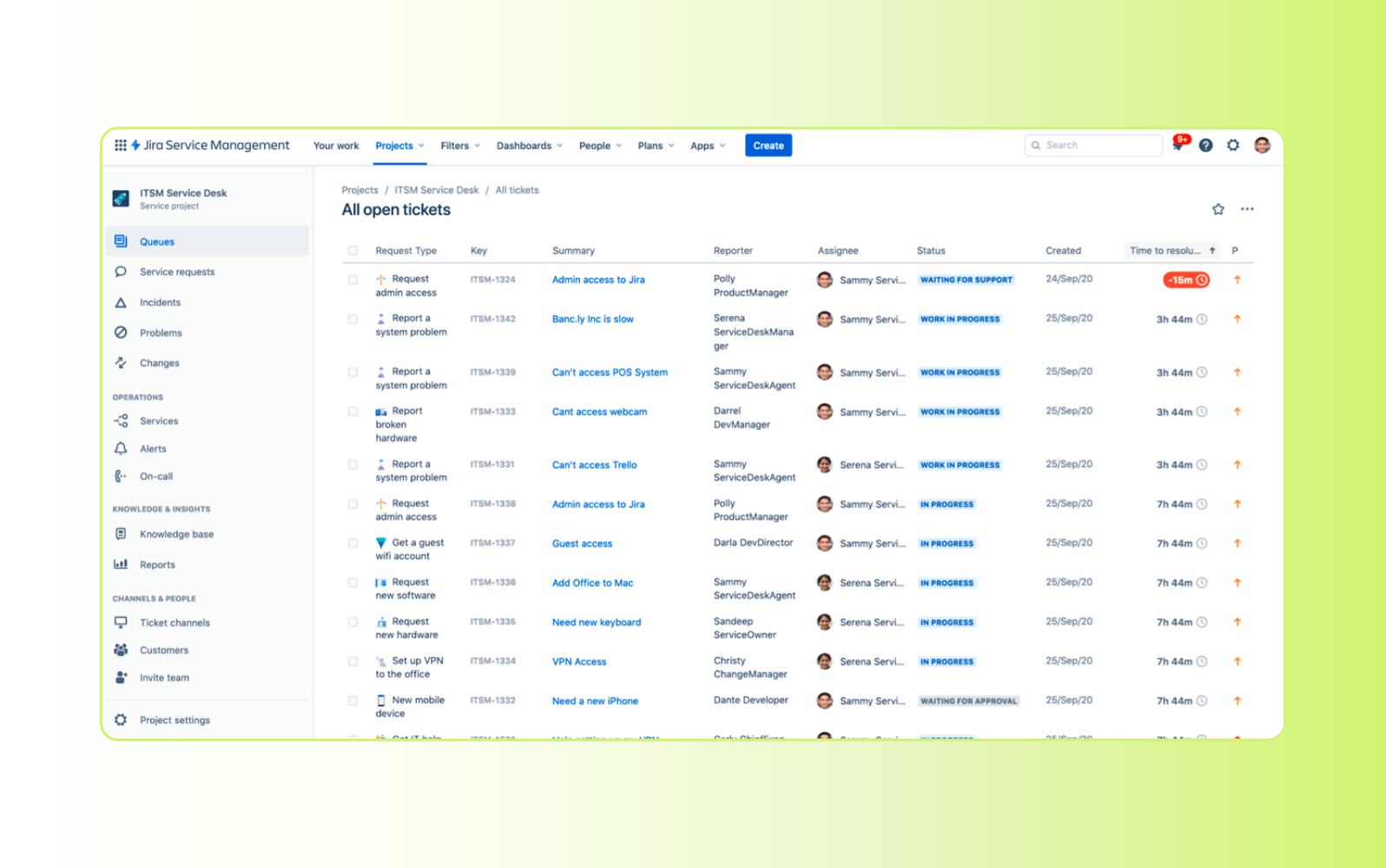
Jira Service Management is a help desk tool with IT service management (ITSM) functionality that natively integrates with other Atlassian tools, like Confluence and Jira. Jira’s help desk software comes with the necessary features for IT and general support teams to deliver support to customers and employees. For example, development teams can track bugs and issues in Jira Software and then seamlessly transition them to Jira Service Management for resolution.
Small businesses can utilize Jira’s knowledge base to resolve incoming trouble tickets, manage SLAs, track action-oriented requests, and uncover customer satisfaction (CSAT) insights. The platform also provides customizable workflows, reporting, and automation.
|
Pros |
Cons |
|
|
What people are saying:
- "The reporting dashboard feels clunky when I need custom security metrics." – Verified user, G2 review.
- "It makes collaboration between support, technical teams, and stakeholders very efficient" – Verified user, G2 review.
- "It may take some time to get used to the tool and learn how to use its various features effectively." – Verified user, G2 review.
Learn more: Compare Zendesk vs. Jira or explore how to integrate Zendesk with Jira.
11. SolarWinds
Best for IT use cases
|
Starting price |
Free trial |
Key features |
|
$39 per month |
30 days |
|
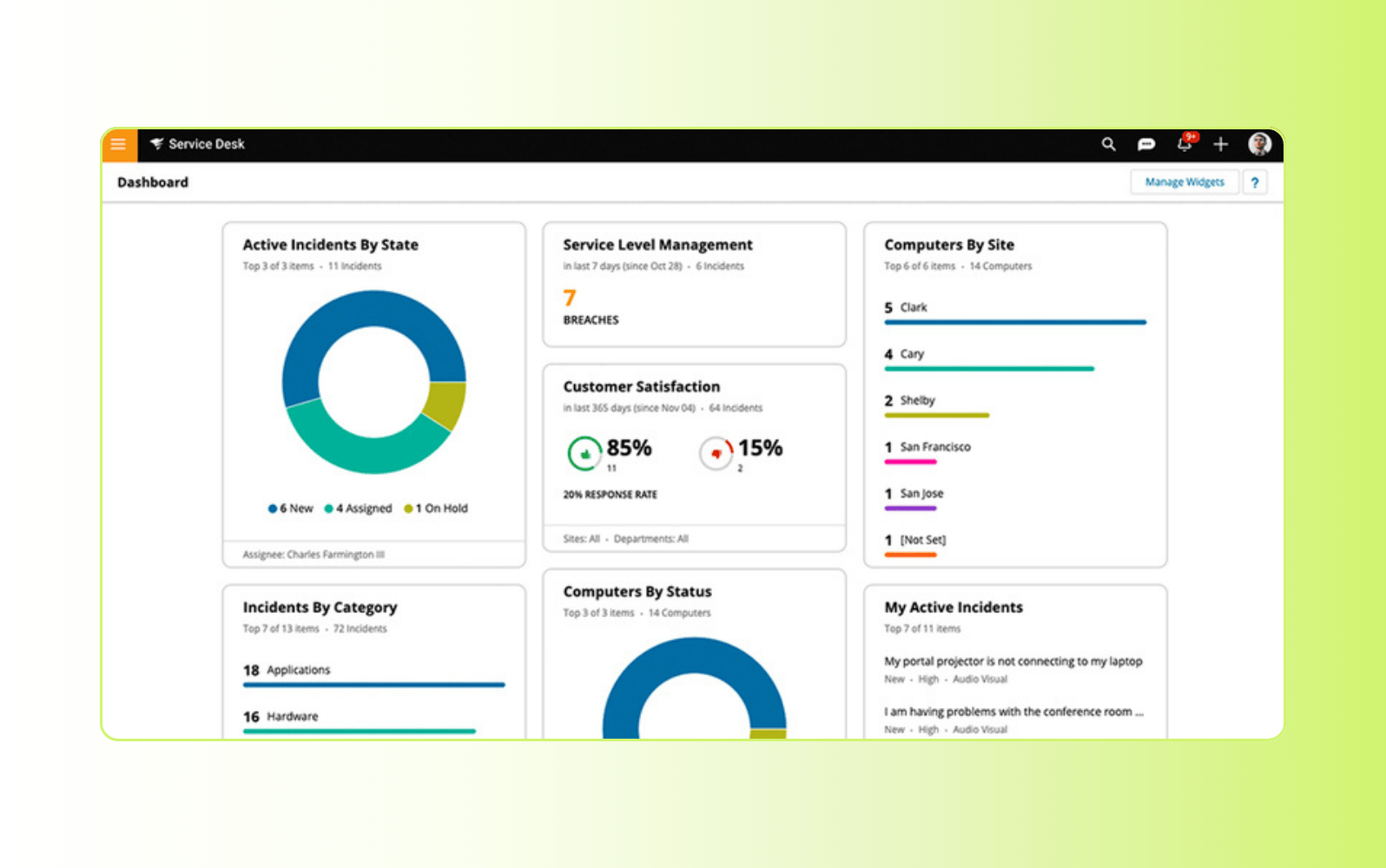
SolarWinds Service Desk is an ITSM solution that helps organizations oversee their IT support operations. Its incident management capabilities allow teams to track, prioritize, and resolve issues. Additionally, it offers asset management tools to track and manage IT assets throughout their lifecycle to maintain inventories.
The software also provides customizable roles and permissions to control user access and streamline workflows. Real-time dashboards offer insights into KPIs, enabling monitoring and informed decision-making. Furthermore, SolarWinds Service Desk supports SLA management, so service delivery meets pre-defined standards.
|
Pros |
Cons |
|
|
What people are saying:
- "It’s user-friendly and visually intuitive, which makes it easy for both IT staff and employees." – Verified user, G2 review.
- "I think for end users it can be a bit cumbersome with how much is sent in each update email." – Verified user, G2 review.
- "Easy to navigate. Good customer support. Easy to set up with Microsoft for integration." – Verified user, G2 review.
12. Gorgias
Best for e-commerce use cases
|
Starting price |
Free trial |
Key features |
|
$10 per month |
Available |
|
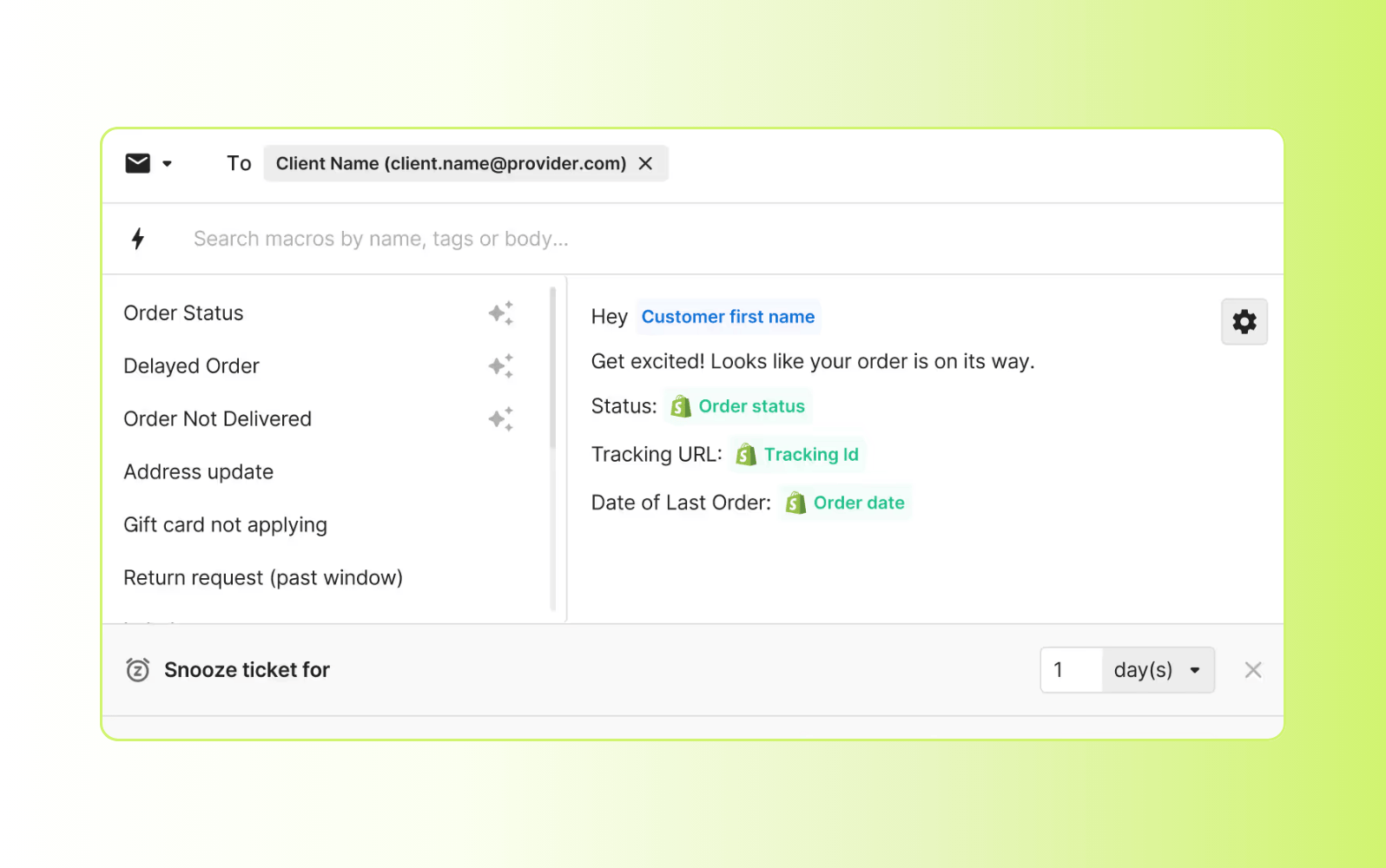
Gorgias provides help desk software for small businesses in the e-commerce industry. Its integrations with popular e-commerce platforms, like Shopify, allow agents to access order information, process refunds, and manage customer accounts directly within the help desk.
Furthermore, Gorgias supports omnichannel communication, enabling businesses to manage customer interactions across channels. The centralized view of customer profiles delivers data on customer needs and preferences.
|
Pros |
Cons |
|
|
What people are saying:
- "The setup process was straightforward, thanks in part to the user-friendly UX, which made getting started a breeze." – Verified user, G2 review.
- "The AI Agent is powerful, but the training and knowledge base configuration can be complex." – Verified user, G2 review.
- "The analytics, from a team leader's perspective, can be a bit challenging." – Verified user, G2 review.
Learn more: Compare Zendesk vs. Gorgias.
How to choose the right help desk software for a small business
Small businesses must consider several factors when choosing the best help desk solution for their company. Follow these five help desk best practices to set your company up for support success.
Set time to value and ROI expectations
Before you begin your search or schedule any sales meetings with providers, set some expectations for yourself. These should include:
- Ideal return on investment (ROI)
- Budget
- Time to value
Look for platforms that include built-in request management software to help organize, prioritize, and resolve customer inquiries efficiently as your support volume grows.
Defining clear expectations upfront helps narrow your search and avoid costly mishaps. It also improves the chances of choosing a solution that delivers strong ROI within your desired timeline.
Determine its ease of use
Evaluate the user interface for intuitive navigation, clean design, and minimal learning curve. Assess the complexity of core tasks like ticket creation, routing, and reporting, ensuring agents can perform these actions with minimal clicks and without extensive training. Request a demo or free trial to personally experience the solution’s usability and seek feedback or reviews from current users about their experience with the system.
Assess its scalability
Find a help desk partner that understands your business and can grow alongside you. While you may be small now, your service desk software should accommodate a growing number of support requests in the coming years.
Any good help desk solution can support your agents as they adapt to fluctuating ticket volumes or unique customer needs and provide customizable tools.
Evaluate the total cost of ownership (TCO)
TCO is an important factor when considering any business software because it shows the true cost of a tool: how much you’ll spend to implement and use it throughout its lifetime at your company.
Ideally, the software you select will have a low TCO, meaning your business will see cost savings on expenses attributed to implementation, subscriptions, and ongoing maintenance.
Ensure the vendor provides adequate support
Consider how much support the vendor will offer to help you get set up and how accessible they will be to correct any future issues. Ideally, the vendor will have a number of support options available. Some examples of these are:
- Video courses or training
- 24/7 AI agents
- Live training and configuration support
- Guides and knowledge base articles
- Customer service agents across multiple channels that provide real-time customer support
Pay attention to how the company responds during your free trial to get an understanding of how they’ll treat you when you’re a customer.
Frequently asked questions
Try Zendesk help desk software for small businesses for free
Zendesk understands the unique challenges faced by small businesses. We've been helping SMBs deliver exceptional customer experiences for years. With our powerful AI-powered tools and comprehensive self-service options, you can empower your team, improve efficiency, and build stronger customer relationships. Sign up for a free trial to try our industry-leading help desk software.
Mozhdeh Rastegar-Panah
Senior Director, Product Marketing
Mozhdeh Rastegar-Panah is a seasoned customer experience leader and the Senior Director of Product Marketing at Zendesk. With over 12 years at the forefront of customer service innovation, Mozhdeh specializes in translating complex AI and CX technologies into impactful, scalable solutions for global businesses. Her work focuses on elevating customer support through messaging, automation, and omnichannel strategies. She brings a unique blend of strategic vision and hands-on expertise to the future of customer service.
Related small business help desk guides
Check out these guides to set your small business up for success. With Zendesk, you can get IT support right every time and create more opportunities to make sales.