AI knowledge base: A complete guide for 2026
With generative search, AI agents, and cross-source integrations, an AI knowledge base can take your traditional help center from ordinary to extraordinary. Learn about AI knowledge bases and try one for free.



Candace Marshall
Vice President, Product Marketing, AI and Automation
Última actualización en January 13, 2026
AI knowledge base guide
For a knowledge base to truly serve its purpose of supporting customers and employees to be self-sufficient, there are certain boxes that only AI can tick. An AI knowledge base is a centralized inventory of information that’s powered by machine learning (ML) and natural language processing (NLP). With the help of generative search, AI agents, no-code tools, and cross-platform content retrieval, the right software transforms the journey of inquiry to answer.
In this guide, we uncover all there is to know about AI knowledge bases. Read on to explore the latest developments in this fast-evolving technology, top products on the market, best practices for building your own AI knowledge base, and future trends.
More in this guide:
- What is an AI knowledge base?
- Features of AI knowledge bases
- The benefits of an AI-powered knowledge base
- Types of AI-powered knowledge base content
- AI knowledge base software comparison chart
- Top AI knowledge base software
- How to use an AI knowledge base
- Building an AI knowledge base
- Future trends in AI knowledge bases
- Frequently asked questions
- Enhance customer service with an AI knowledge base
What is an AI knowledge base?An AI knowledge base is a centralized hub that leverages AI and machine learning (ML) to understand, process, and surface accurate and relevant information to users on demand. The system organizes, stores, and manages data and information. AI knowledge bases can help streamline customer support, enhance user experiences, and enhance decision-making. |
Features of AI knowledge bases
At its core, an AI-powered knowledge base answers customer and employee queries by drawing information from numerous sources, including blog content, FAQs, policy documents, community forums, and many more. But the features that truly transform CX and EX (employee experience) and bring immediate value to organizations are the following:
- Natural language processing: NLP plays a pivotal role in AI knowledge bases. This technology understands the nuances of human tone and phrasing, even if queries are missing keywords or contain linguistic errors.
- Machine learning: ML works alongside NLP, analyzing and categorizing content, ensuring that the answer provided matches the meaning and intent of the customer or agent’s question. It learns from interactions, constantly improving accuracy and becoming more skilled in meeting users’ needs.
- Automation: ML also plays a key part in automatically organizing, collating, and tagging different content types and topics. Going further, AI can detect when an article needs to be updated and will flag this, ensuring that content remains fresh and accurate.
- AI agents and copilots: Trawling through knowledge base pages isn’t necessary anymore. Software like Zendesk Knowledge equips customers with AI agents, and agents with AI copilot, so relevant information is surfaced instantly and the right answer is delivered with minimal human intervention.
- Omnichannel support: Connecting AI agents with your knowledge base opens up support access from every channel, including social, web, mobile, voice, and email.
- Personalized answers: AI knowledge bases replace generic, off-target responses with highly personalized answers that get to the point immediately. When sources like CRM systems are integrated, this technology can tailor its response based on customer contexts, like currently open tickets or plan type.
The benefits of an AI-powered knowledge base
An AI-powered knowledge base is more than just an automated system. It offers a wealth of benefits that help customers, agents, and business operations. Here are just a few.
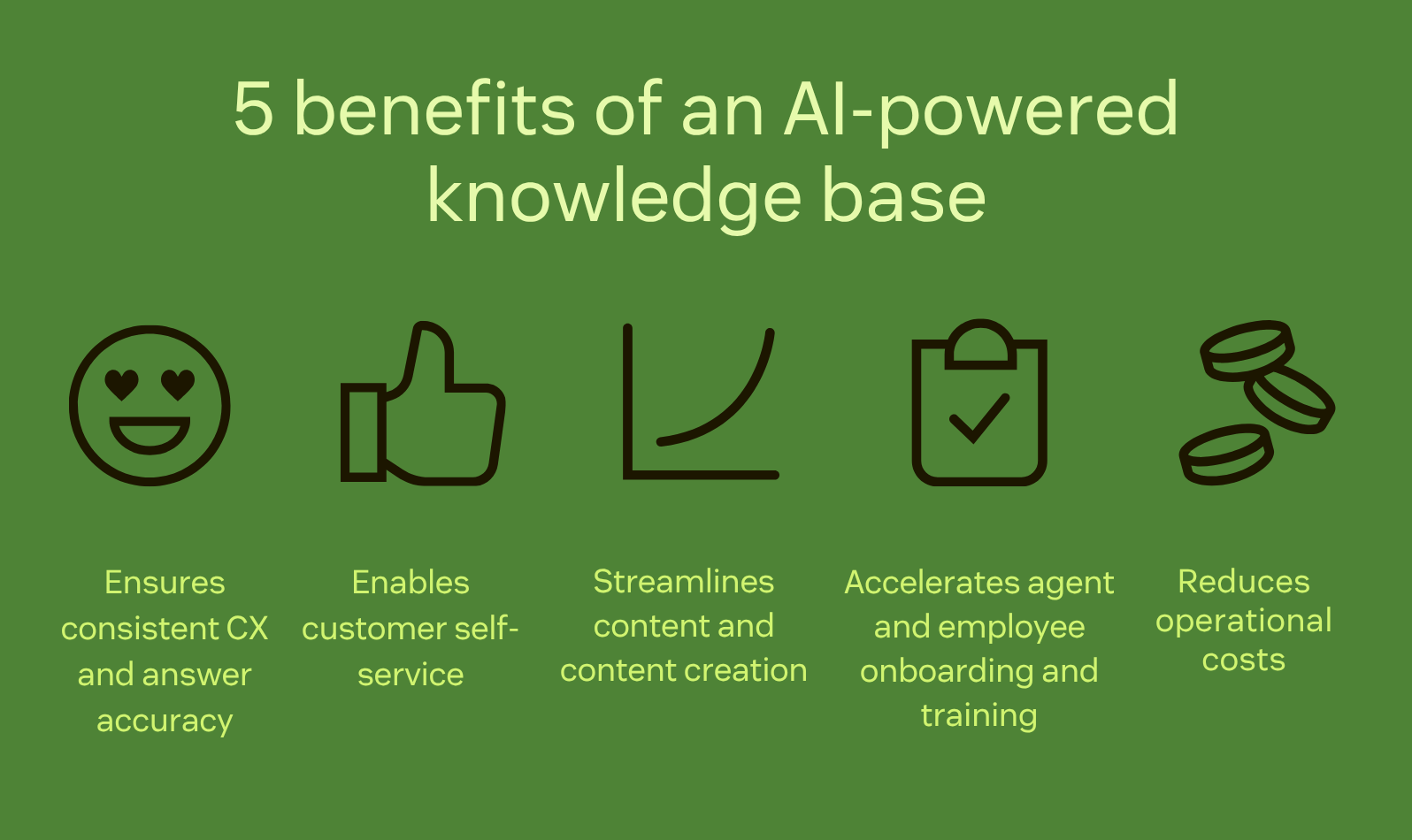
Ensures consistent CX and answer accuracy
AI-powered knowledge bases can help deliver a cohesive tone and precise content across all help center articles. This helps make sure that the information shared with customers across various touchpoints is consistent and accurate. Consistency builds customer trust, strengthens brand reputation, and fosters positive customer experiences, leading to higher retention rates and brand loyalty.
Enables customer self-service
AI-powered knowledge bases empower customers to find solutions independently. Customer self-service is enabled through intuitive search capabilities and AI-driven recommendations. Users can swiftly access relevant information, FAQs, troubleshooting guides, and tutorials. Self-service enhances customer satisfaction by providing immediate, 24/7 support.
Streamlines content and content creation
AI algorithms can assist with content management by identifying content gaps, detecting outdated resources, and suggesting new topics based on customer feedback and ticket requests. For example, AI can detect a spike in specific customer requests, such as asking for help with password resets over live chat. AI can flag content management teams and recommend creating knowledge base articles on this topic.
Accelerates agent and employee onboarding and training
AI-powered knowledge base systems can help streamline new agent and employee onboarding and training by offering comprehensive, up-to-date resources. A centralized hub allows new hires to quickly find and access training guides, documents, and important customer information, leading to faster issue resolution. Additionally, AI algorithms can suggest relevant materials to support agents, recommend articles within tickets, and help with writing content.
Reduces operational costs
AI-driven knowledge bases significantly reduce operational expenses. For instance, self-service capabilities can decrease the number of support tickets, minimizing the need for extensive support teams. Plus, the system's ability to handle more inquiries helps control operational costs and boosts overall agent efficiency.
Types of AI-powered knowledge base content
AI-powered knowledge bases are a comprehensive repository of information made up of several different kinds of content. All of this information allows businesses to efficiently manage, access, and leverage diverse forms of data to enhance customer support, decision-making, and overall operational effectiveness.
Structured knowledge content
Structured knowledge content refers to information that gets organized and formatted systematically. This content typically includes articles, FAQs, manuals, and guides. It’s usually arranged into a strategic hierarchy where the most relevant or useful information is at the top. Creating structured knowledge content with standardized formats, consistent terminology, and optimized keywords or categories allows for efficient knowledge base searches.
Unstructured knowledge content
Unstructured knowledge content encompasses information that lacks a specific format or predefined structure. This type of content includes:
- Customer emails
- Chat transcripts
- Social media interactions
- Forum discussions
- Multimedia files (like audio recordings or images)
Unstructured content is more challenging to organize and analyze due to its varied formats and lack of standardized structure. However, AI-powered systems use NLP and ML algorithms to extract insights and meaning from unstructured data, making it accessible and valuable within the knowledge base.
Automated knowledge content
Automated knowledge content refers to information generated or curated automatically by AI algorithms. This content gets continuously updated, refined, or created based on user interactions, feedback, and data analysis.
For instance, AI algorithms might automatically generate suggested responses to common customer queries, create summaries of lengthy documents, or offer recommendations for improving existing content based on user engagement metrics. Automated content assists in streamlining content creation, ensuring relevance, and enhancing the knowledge base's accuracy and efficiency.
AI knowledge base software comparison chart
Take a look at the top 10 AI knowledge base software on the market today.
|
Software |
Best for |
Starting price |
Free trial |
|
Unifying service content |
$55 per user / month |
14 days | |
|
Access control security |
Contact sales |
Unavailable | |
|
Native integrations |
$18 per user/month (excludes native data loss prevention) |
30 days | |
|
Knowledge content creation |
Contact sales |
14 days | |
|
Internal knowledge retrieval |
$25 per user/month |
30 days | |
|
AI content generation |
$7 per workspace member/month |
14 days | |
|
Team collaboration |
$8 per user/month |
14 days | |
|
Internal knowledge sharing |
$6 per user/month |
Unavailable | |
|
Cross-department collaboration and documentation |
$4 per user/month |
30 days | |
|
Multimedia content |
Contact sales |
Unavailable |
Top AI knowledge base software
- Zendesk: Best for unifying service content
- Capacity: Best for access control security
- Slack: Best for native integrations
- Document360: Best for knowledge content creation
- Guru: Best for internal knowledge retrieval
- ClickUp: Best for AI content generation
- Slite: Best for team collaboration
- Starmind: Best for internal knowledge sharing
- Tettra: Best for cross-department collaboration and documentation
- Korra: Best for multimedia content
1. Zendesk AI
Best for unifying service content
|
Starting price |
Free trial |
Key features |
|
$55 per agent/month (billed annually) Explore more Zendesk pricing plans. |
14 days |
|
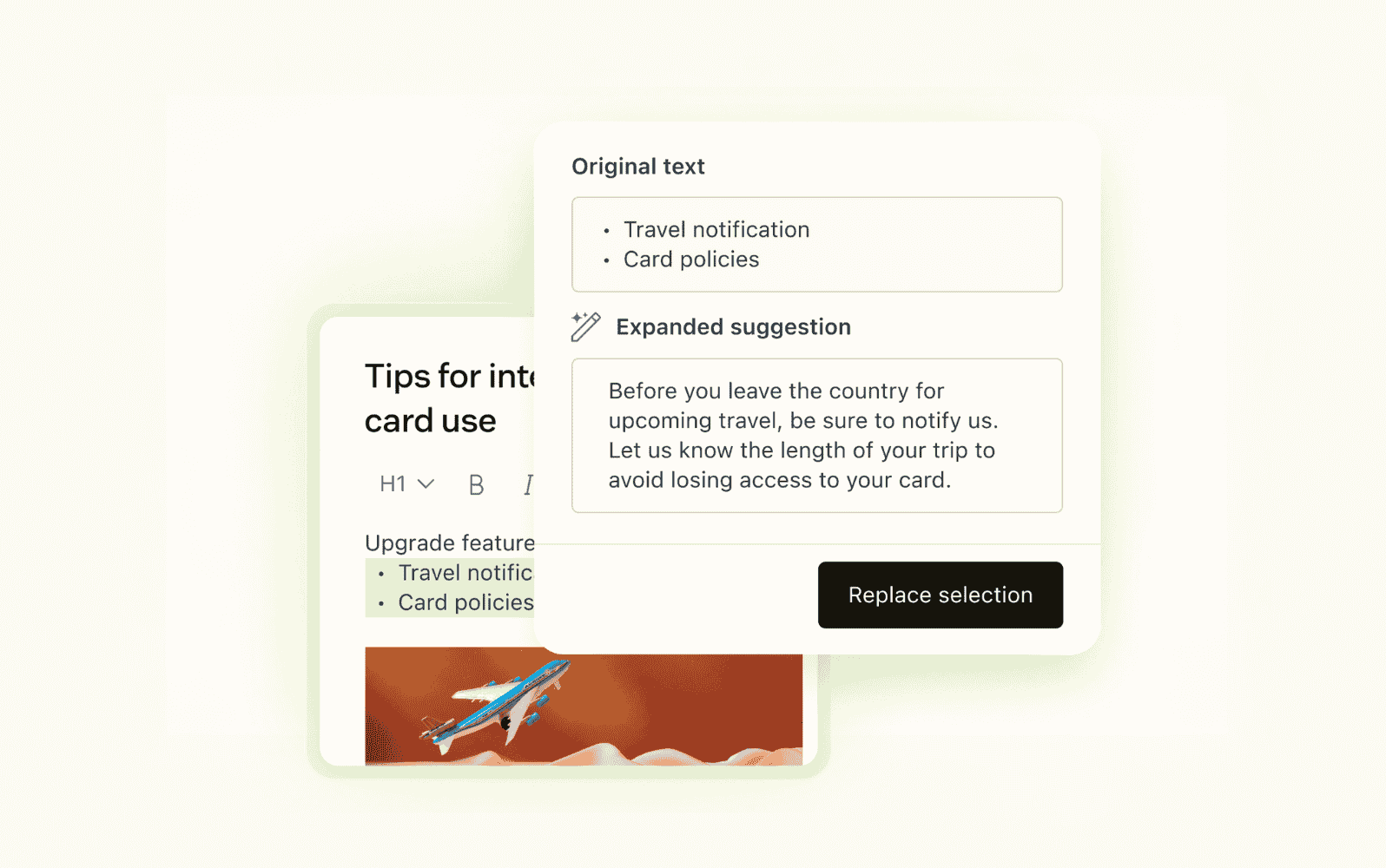
Zendesk AI leads the way with Zendesk Knowledge, the AI knowledge base that unifies all service content into a single platform. This feature-packed addition to Zendesk’s Suite plans empowers organizations to fast track resolution times with AI agents, AI copilots, and generative search.
But it doesn’t stop there. Out-of-the-box connectors enable seamless multi-tool integrations, giving agents, employees, and customers immediate context-rich answers to their queries. Agents also benefit from access to quick answers directly in the Agent Workspace, speeding up resolution times.
Zendesk Knowledge is suitable for any company size or skill level. For instance, the no-code Knowledge Builder automatically generates a ready-made knowledge base that’s centered around your business context and historical tickets. Easy to build and scale, Zendesk Knowledge equips your business with a brand new AI-powered knowledge base or optimizes your existing help center. See how it works for 14 days with the free trial.
|
Pros |
Cons |
|
|
What people are saying:
- "It’s easy to scale as your team grows, and features like automation, macros, and knowledge base management enhance team efficiency."
- "The integrated knowledge base also helps drastically reduce tickets thanks to self-service."
- "Zendesk's support suite has proven to be highly valuable and effective for our company, particularly thanks to its help center and knowledge base features."
Explore more Zendesk pricing plans.
2. Capacity
Best for access control security
|
Starting price |
Free trial |
Key features |
|
Contact sales |
Unavailable |
|
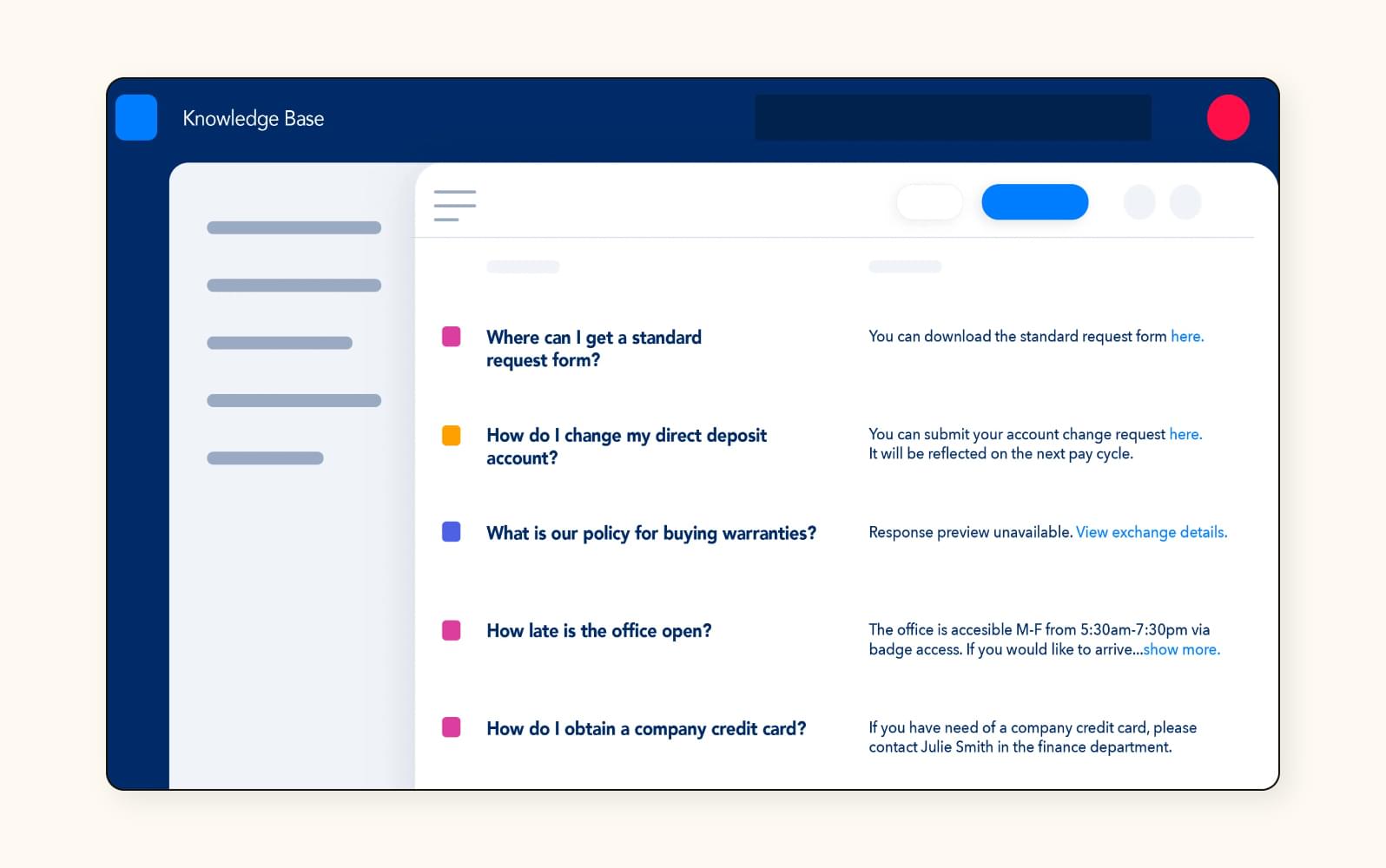
Capacity offers an AI-powered knowledge base that intelligently organizes, stores, and retrieves information. It provides a centralized repository for managing information across systems so employees and customers can access information in one place. Users can easily organize information using folders and dialogues, and share it through a drag-and-drop feature. Access can be restricted based on different criteria such as department, role, geolocation, and employee.
Its search feature has an automated inquiry generator, retrieving specific information for anyone accessing the knowledge base. Additionally, stale content is automatically surfaced, allowing teams to schedule updates efficiently. For information on pricing, contact sales.
|
Pros |
Cons |
|
|
What people are saying:
- "The knowledge base helps the requester get the answers they need immediately versus waiting on a live person for help."
- "If you don't have dedicated internal resources to build out your knowledge base and add personality to your bot resources, you'll need to lean more heavily on Capacity's team for deployment."
- "Building your initial knowledge base does take time."
Learn more: See how Capacity integrates with Zendesk.
3. Slack
Best for native integrations
|
Starting price |
Free trial |
Key features |
|
$18 per user/month (excludes native data loss prevention) |
30 days |
|
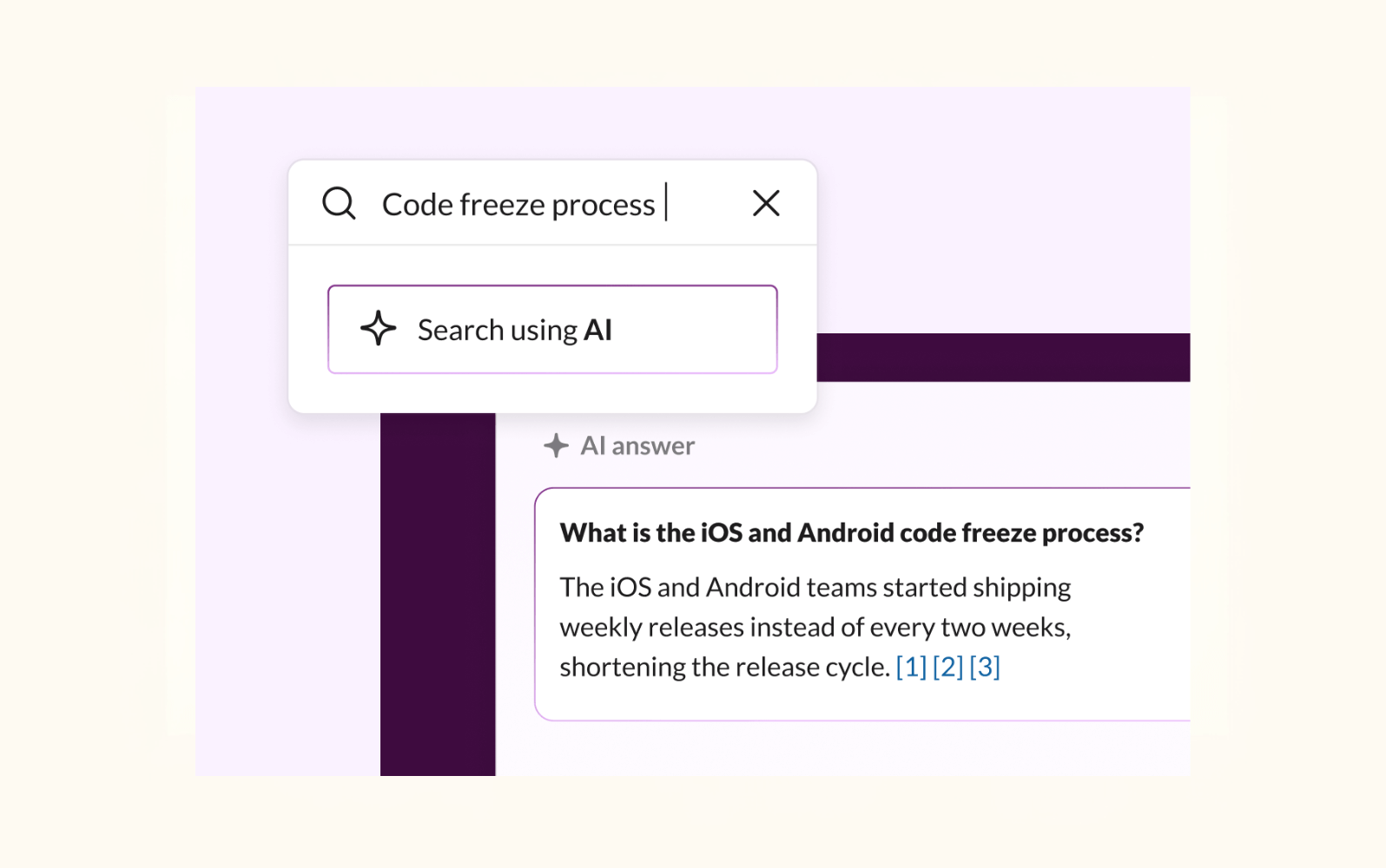
Although Slack isn’t a typical standalone knowledge base, its built-in AI features can be used to surface company knowledge across channels and integrated tools. It natively integrates with all kinds of platforms including CRM systems, workflow tools, and knowledge base software, meaning that users can search for a variety of information directly in Slack.
With some configuration, Slack’s very own AI agent, Slackbot, can surface documents and knowledge sources within message threads, saving users time by keeping the search within one platform. Where Slack is different from typical knowledge bases is that it’s not a storage system and it doesn’t come equipped with content organization management and generative search tools.
|
Pros |
Cons |
|
|
What people are saying:
- "The best thing about Slack is that it brings all your work tools into one place."
- "The cost is very high for a freelancer starting out. Premium plan is very expensive for a larger team too."
- "While Slack has a search feature, some users have found it challenging to locate specific information within past conversations, especially if they're not sure about the exact keywords or context."
Learn more: See how Slack integrates with Zendesk.
4. Document360
Best for knowledge content creation
|
Starting price |
Free trial |
Key features |
|
Contact sales |
14 days |
|
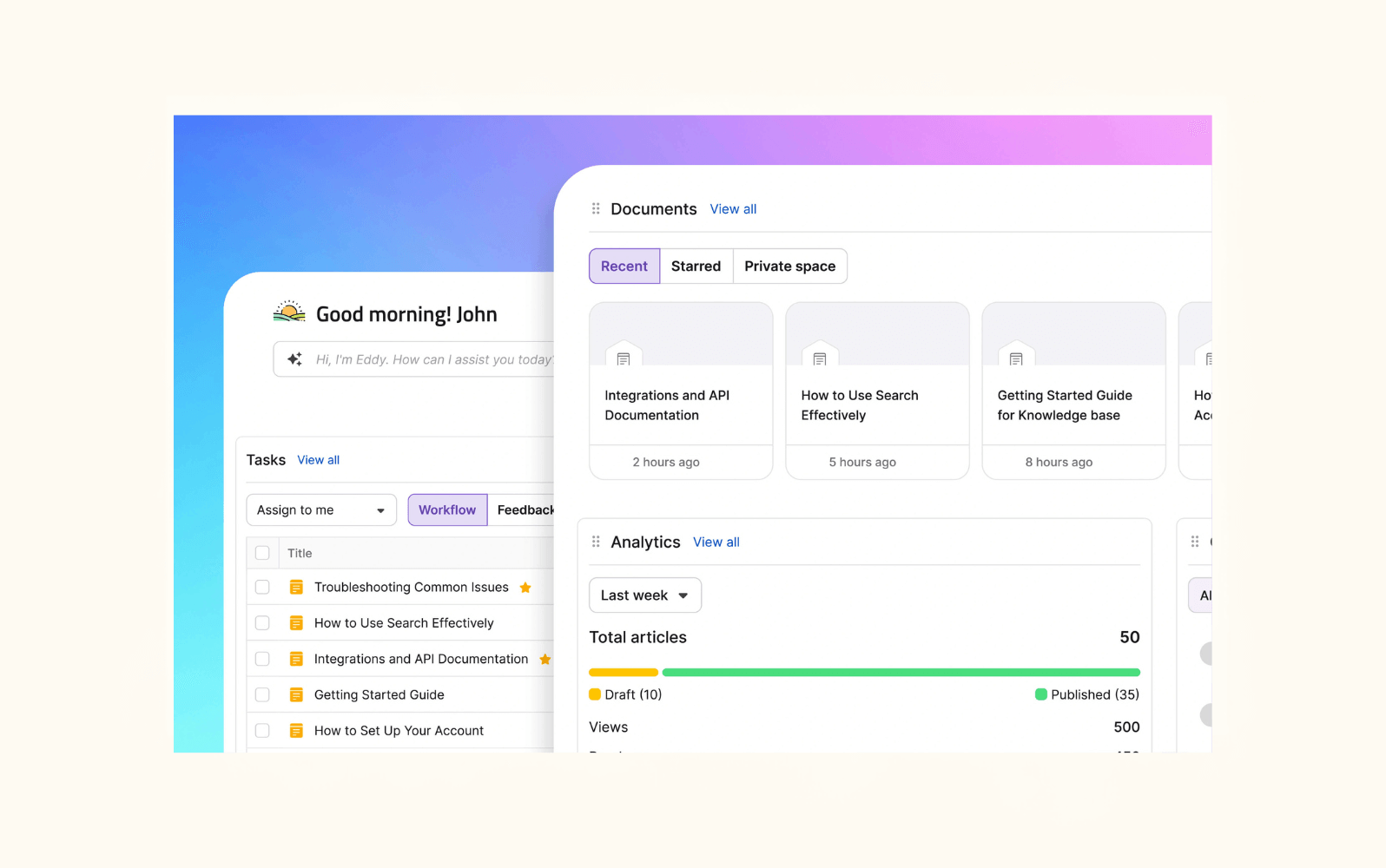
Document360 labels itself as an AI-powered documentation suite, offering a space to create, manage, and publish customer and employee-facing knowledge base content. It has an AI writing agent, AI chatbot, and AI glossary, helping companies streamline knowledge base management.
Eddy, the software’s AI search function, includes NLP so users don’t have to refine keywords in hopes of finding an accurate answer. Document360 also deserves praise for its analytics and monitoring capabilities—agents can easily track content gaps, user behavior, and total reads, among other metrics. There’s a 14 day free trial available, but you’ll need to contact sales for pricing information.
|
Pros |
Cons |
|
|
What people are saying:
- "The platform also provides insightful analytics such as most-read articles, user likes and dislikes, and search behavior."
- "The AI search works but is not really economical. Not enough ROI to justify."
- "Another point is the pricing, which can feel a bit steep for small teams or startups."
Learn more: See how Document360 integrates with Zendesk.
5. Guru
Best for internal knowledge retrieval
|
Starting price |
Free trial |
Key features |
|
$25 per user/month |
30 days |
|
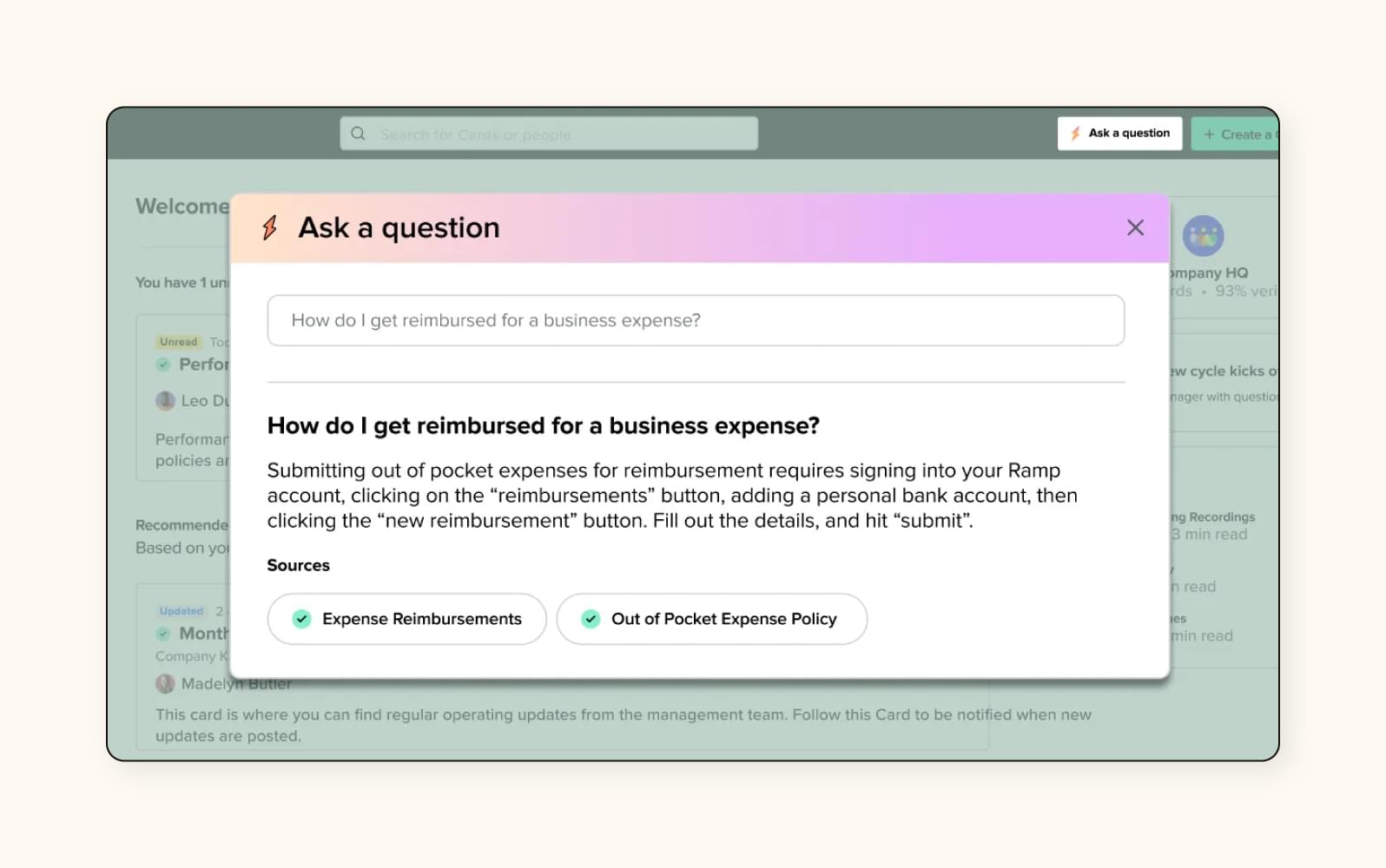
Guru's AI-powered knowledge base offers a centralized platform for primarily internal teams to ask questions, find and share information, and get personalized recommendations. The system leverages machine learning algorithms to refine search results and verify and validate knowledge base content. Guru's browser extension integrates with a company’s existing tools and enables real-time access to verified information within applications.
Guru’s Knowledge Agents are designed to support employees in finding correct answers to company-related questions. It’s possible to interact with these agents via the Guru app or integrated software like Slack or Microsoft Teams.
|
Pros |
Cons |
|
|
What people are saying:
- "Setting it up was also simple so the implementation didn't take much time."
- "Customer Support really needs to be improved."
- "Having more customization in analytics and reporting would make it easier to measure the direct impact of Guru on productivity."
Learn more: See how Guru integrates with Zendesk.
6. ClickUp
Best for AI content generation
|
Starting price |
Free trial |
Key features |
|
$7 per workspace member/month |
14 days |
|
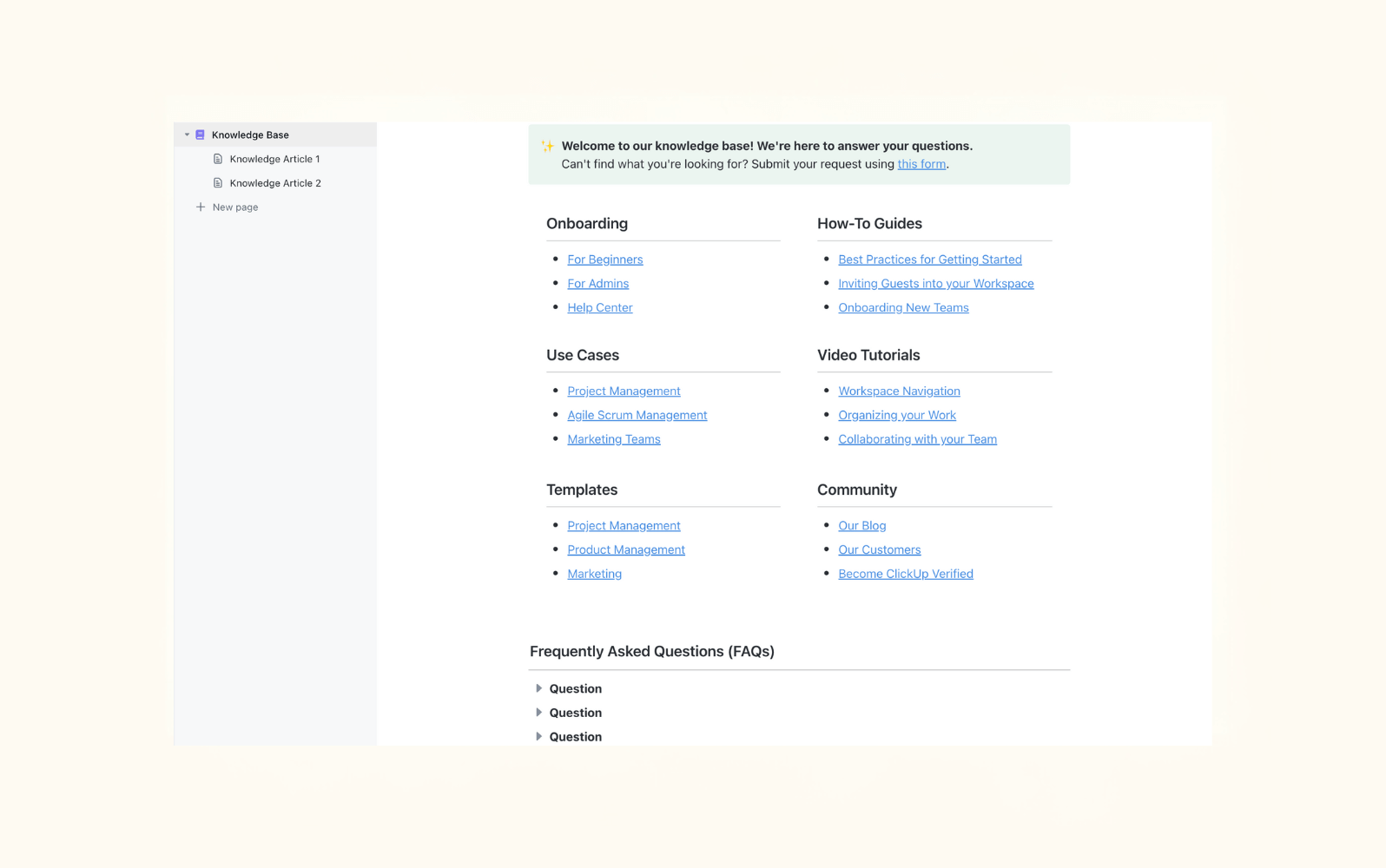
ClickUp offers a complete AI knowledge base package, with a focus on automating support content creation using existing company data. The company’s goal is to take the manual load out of knowledge base design and upkeep.
The AI tool, ClickUp Brain, plays a significant role in the creation and organization of knowledge base content. Once users have input prompts and existing content, ClickUp brain will instantly get to work on a new draft, which can then be edited and shared with collaborators. To help the editing process, the AI offers suggestions for improvements along the way.
ClickUp Brain automates content updates, so teams don’t need to manually assess how and when an article should be refreshed. If a policy or process changes, updates to knowledge base content are triggered automatically. Although there is a free plan, AI features are unlocked with the paid subscriptions.
|
Pros |
Cons |
|
|
What people are saying:
- "Integration with tools like Google Calendar and cloud storage helps keep everything connected and automation reduces repetitive manual steps."
- "Their knowledge base is extensive which somewhat compensates for the direct support lag."
- "AI quality is uneven. Brain excels at summaries, but longform “writer” outputs need heavy editing, and knowledge-base answers aren’t as sharp as they were a year ago."
Learn more: See how ClickUp integrates with Zendesk.
7. Slite
Best for team collaboration
|
Starting price |
Free trial |
Key features |
|
$8 per user/month |
14 days |
|
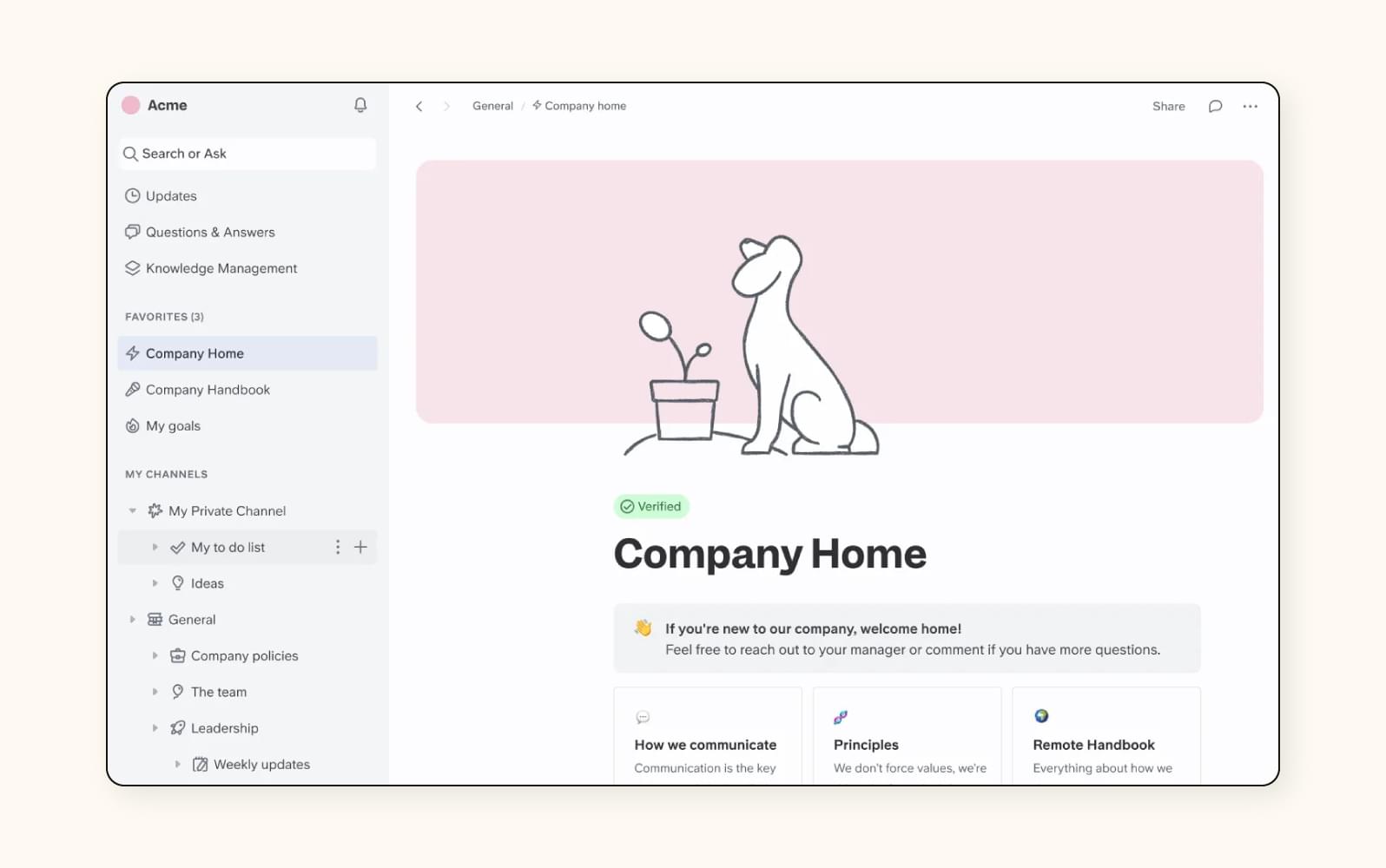
Slite is an AI knowledge base that facilitates collaboration and information sharing for remote teams. With plenty of templates for all kinds of knowledge base content, the creation process is sped up and simplified. Slite also provides AI-generated suggestions to address content gaps and ensure that quality is upheld throughout your knowledge base.
When it comes to looking for answers, Slite’s AI-powered search, Ask, is equipped with NLP and can answer in whichever language you ask a question in. It’s also possible to connect external apps in order to broaden the knowledge sources that Ask can draw from. Finally, analytics tools provide insights into content engagement, including metrics about the documents users read and search for the most.
|
Pros |
Cons |
|
|
What people are saying:
- "Slite stands out with its clean, intuitive interface that makes linking documents and navigating between them straightforward."
- "While Slite is excellent for structured documentation, it can feel limited for more complex workflows."
- "Additionally, with a lot of interlinked documents, I sometimes need a more structured interface to avoid getting overwhelmed by the volume of content."
8. Starmind
Best for internal knowledge sharing
|
Starting price |
Free trial |
Key features |
|
$6 per user/month |
Unavailable |
|
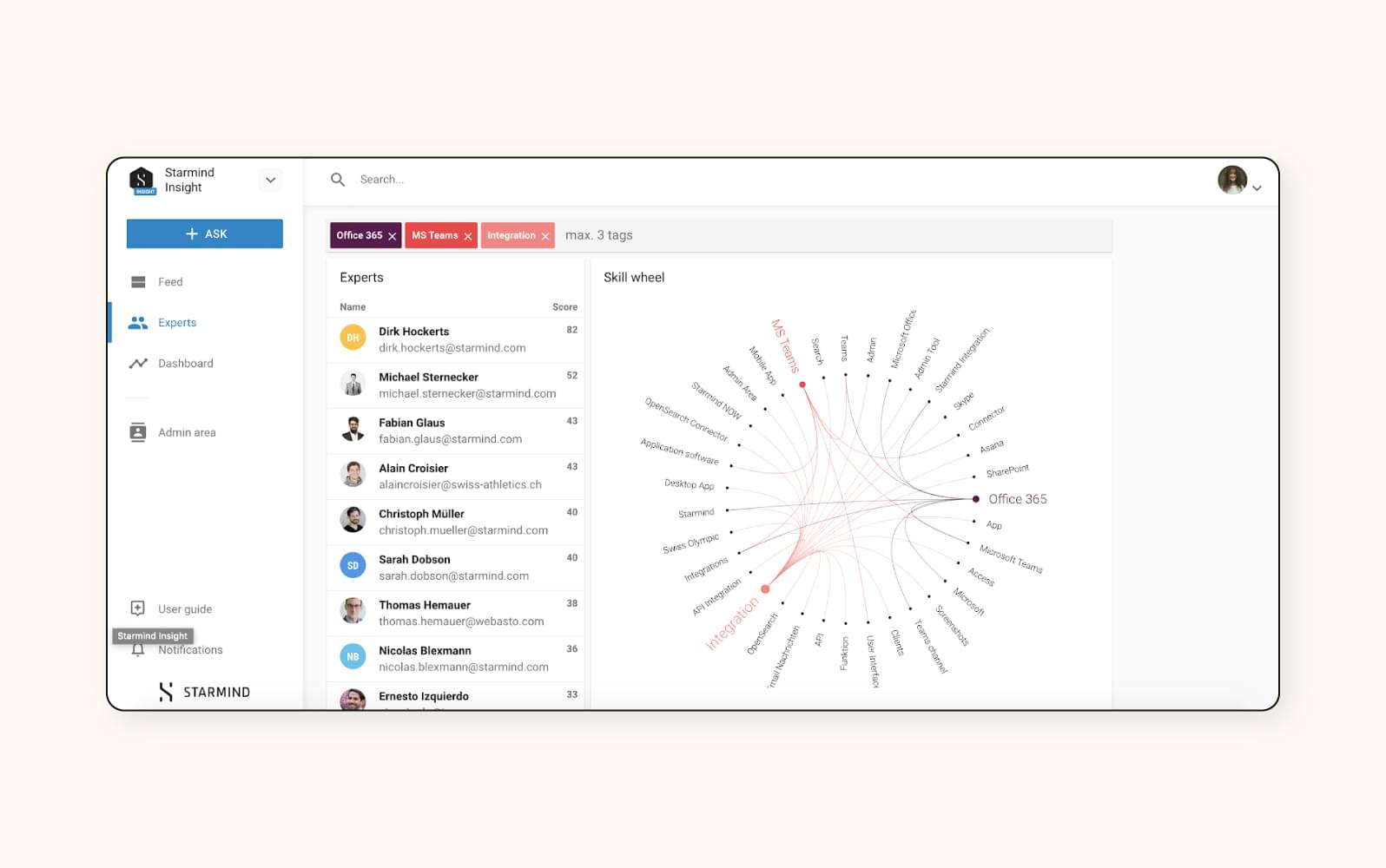
Starmind's AI knowledge base platform uses ML algorithms to assist with knowledge sharing among employees. Through an organization-wide internal directory called the Knowledge Engine, the tool sources information from subject matter experts based on employee search queries.
If an employee has an inquiry that produces no results in the Knowledge Engine or needs further information about the topic, Starmind finds an internal expert and connects them in real time. Once the question is answered, the platform stores the response for future use.
The Knowledge Engine connects with popular collaboration tools like Slack, so that employees can access knowledge from wherever they’re working from.
|
Pros |
Cons |
|
|
What people are saying:
- "I can get quick support from experts in domain where I know no-one, and this support is then available for everyone else."
- "Sometimes if I want to search the things by the key words, it may not jump out the answers I am looking for."
- "Perhaps the searching can be enhanced with filtering options."
9. Tettra
Best for cross-department collaboration and documentation
|
Starting price |
Free trial |
Key features |
|
$4 per user/month |
30 days |
|
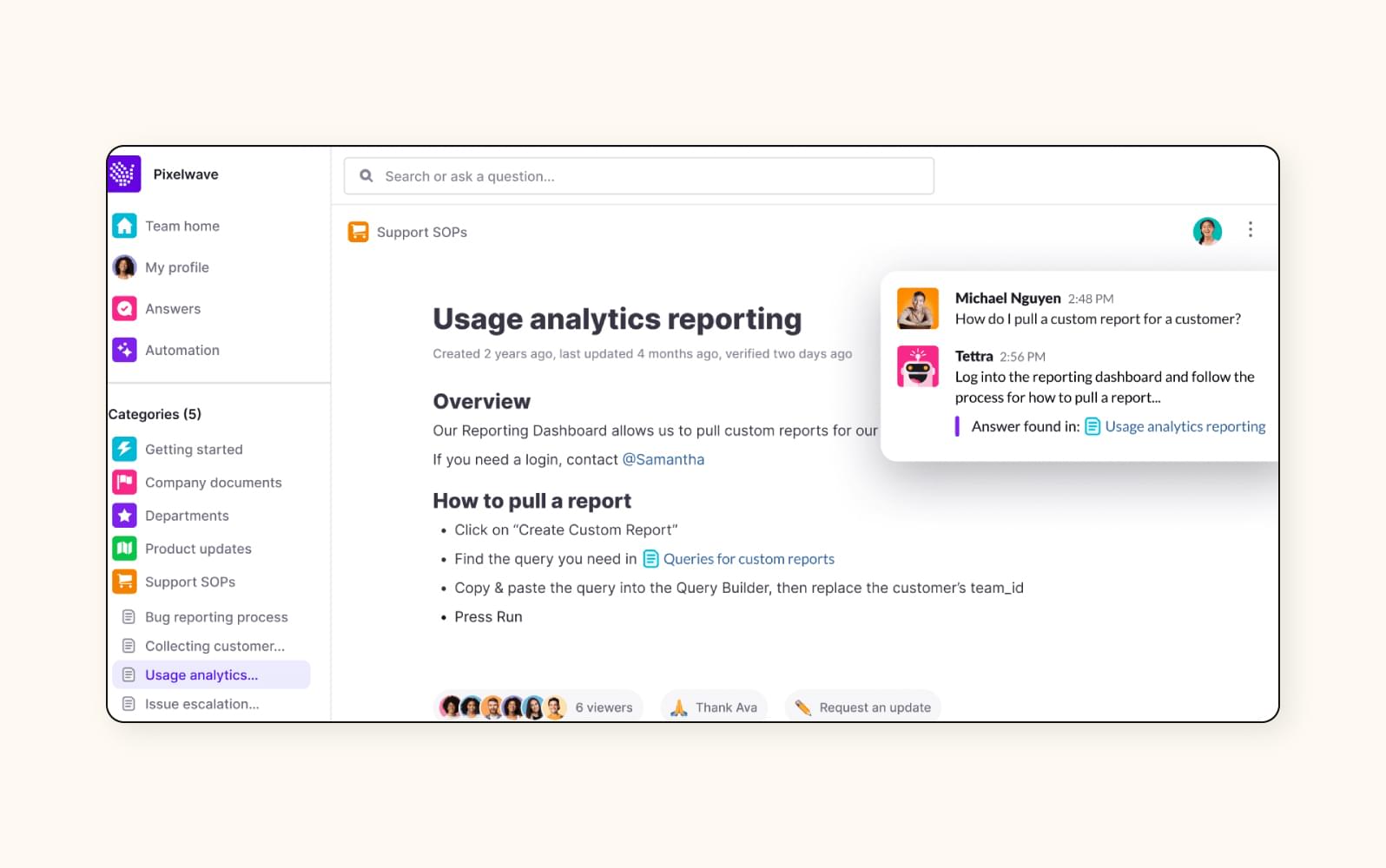
Tettra is an AI knowledge management system that assists businesses with documentation and collaboration. It helps teams organize company information and create content in an internal knowledge base, and its AI assistant, Kai, can answer user inquiries. If the bot cannot find an answer within the knowledge base, the bot will route the inquiry to a human agent.
Tettra is equipped with an AI-powered search engine and tagging functionalities that enable teams to effectively find, access, share, and collaborate on knowledge base information. Additionally, Tettra features a knowledge management dashboard that ensures accurate information, helps find knowledge gaps, and suggests edits. With the help of AI, the dashboard can curate a list of verified content, stale pages, and public content that is visible to users outside of a company.
|
Pros |
Cons |
|
|
What people are saying:
- "The UI makes it really easy to navigate through the content and even ask questions so you can request new articles inside the company knowledge base."
- "Tettra could really benefit from more options for diagrams, fonts, and color formatting."
- "Collaboration on Tettra pages is difficult. If someone doesn't save what they are doing. It's left in draft but you can see the changes until they publish it."
10. Korra
Best for multimedia content
|
Starting price |
Free trial |
Key features |
|
Contact sales |
Unavailable |
|
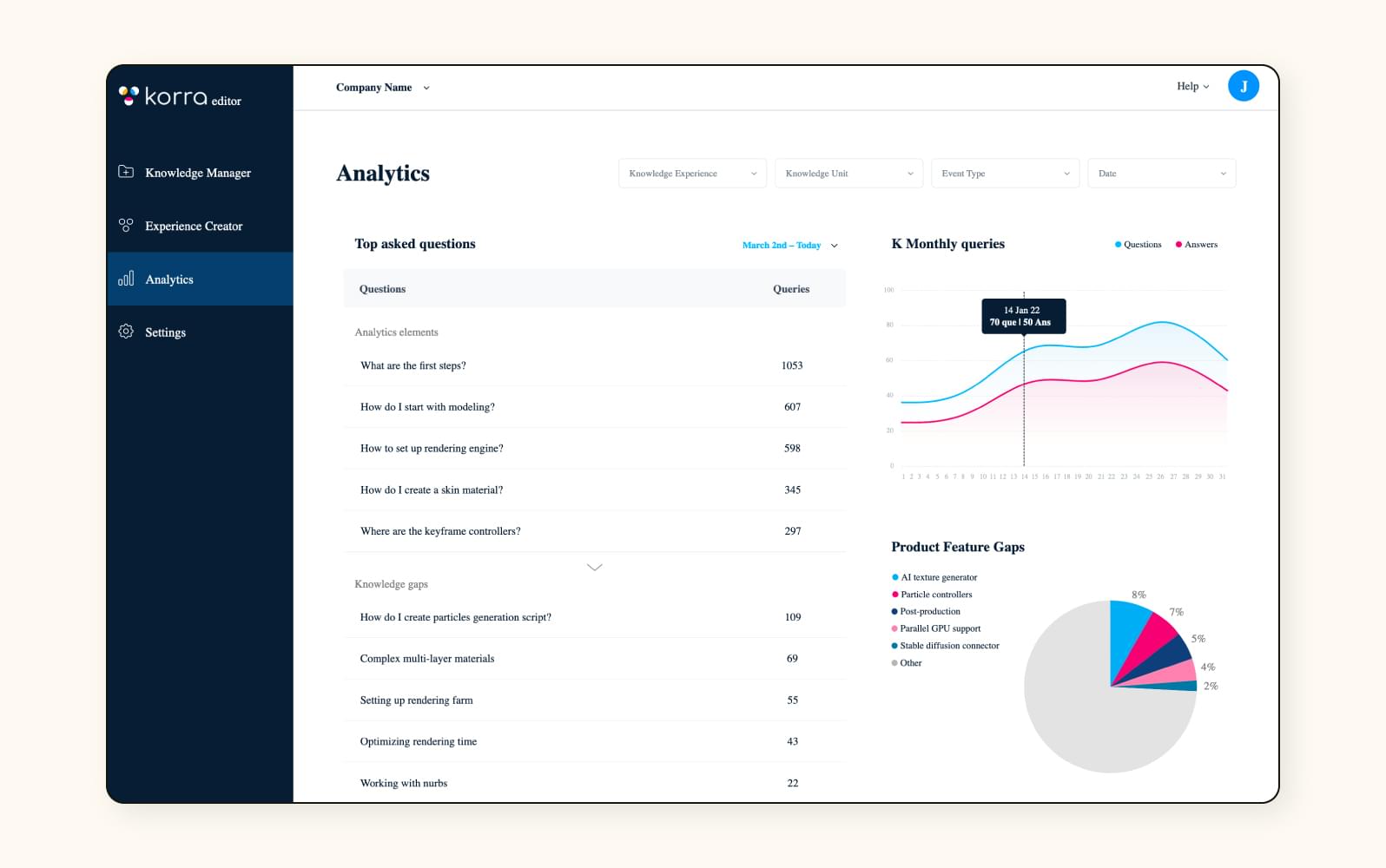
Korra’s AI knowledge base helps customers and support teams by surfacing relevant information on demand. The software features an intelligent search engine that uses ML algorithms and NLP to provide customers and support agents with recommendations and accurate information.
Korra’s AI knowledge hub can automatically find and consolidate data from different systems and formats. It imports fragmented content from various sources, interprets user intent, and adds the appropriate tags and workflows to the knowledge base. Search results retrieve information in all kinds of formats, from documents to videos and images. Korra can also analyze customer interactions to help update knowledge base information. For information on pricing, contact sales.
|
Pros |
Cons |
|
|
What people are saying:
- "Accurate results answer compared to others- answer is highlighted inside documents- supports PDFs DOC and PPTs."
- "Would love more control over features - like number of results to show etc- Has portal building features that we don’t really need- PPT presentation has issues sometimes with the fonts."
How to use an AI knowledge base
For organizations, there are ways to strategically use AI knowledge bases to elevate CX and EX. Some examples include:
- Deploy AI agents: Connecting AI agents to support pages and client portals results in at least 30% of queries being resolved without agent intervention.
- Encourage self-service: Once your AI knowledge base is fully configured with tagged and categorized content collated from a wide range of sources, let the software take the reigns. With the help of AI agents, customers, agents, and employees should all be able to access the information they need without escalation.
- Centralize internal hubs: AI knowledge bases aren’t just for your customers. There’s really no limit to how helpful this technology can be for onboarding and continual training across departments, from HR and IT to sales and customer support. AI surfaces the right information, at the right time, with the right context.
- Routinely update content: Zendesk Knowledge provides real-time data and insights, like AI resolution rate and self service ratio. Zone in on these details to identify gaps and schedule content updates.
- Superpower decision support systems (DDS): Take your DDS to the next level by incorporating unstructured data like support tickets and community forums—all of which can be found in AI knowledge bases.
Building an AI knowledge base
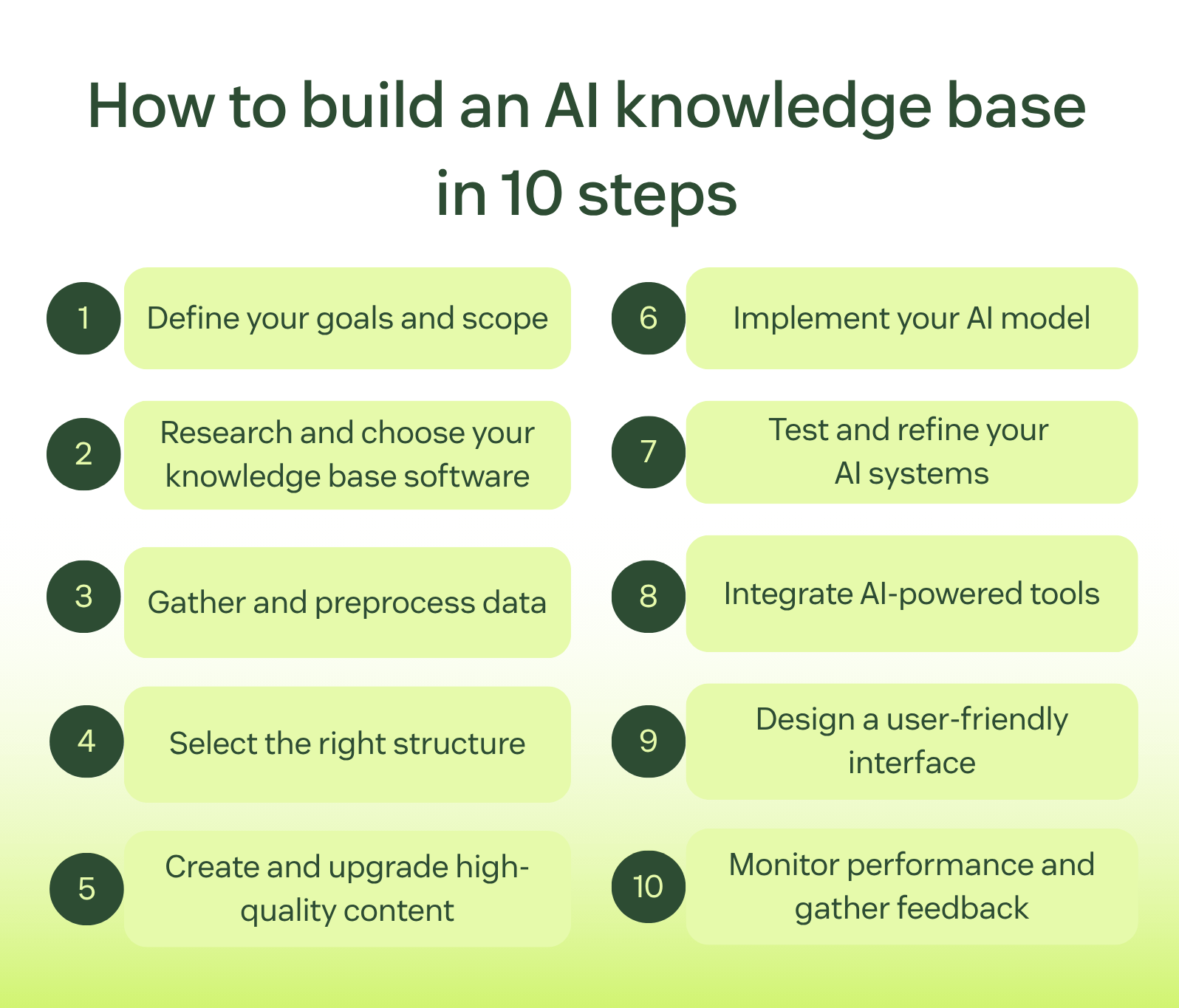
Now that you know what to look for in a knowledge base and have seen some of the best AI-powered systems, let's go over how to build one. These steps take you all the way from start to finish of manually building an AI knowledge base. However, if you’re looking to speed up the process, Zendesk’s Knowledge Builder is here to help you kickstart the creation journey.
1. Define your goals and scope
Begin by identifying the specific objectives and scope for your AI knowledge base. Define the purpose, target audience, and expected outcomes. Outline the key functionalities, such as self-service, support automation, or internal knowledge sharing. Clear goals and scope will guide subsequent decisions and implementations.
2. Research and choose your knowledge base software
Research and select a suitable AI-powered knowledge base software that aligns with your defined goals and requirements. Consider factors like AI capabilities, ease of use, integration options, scalability, and cost-effectiveness. Test out different software to find the best fit for your organization by using free trials. Zendesk, for example, offers a free 14-day trial that lets you explore the features and capabilities.
3. Gather and preprocess data
Collect relevant data sources, including existing documents, FAQs, customer interactions, and any other information pertinent to your knowledge base. Preprocess the data by cleaning, organizing, and structuring it for AI analysis. Ensure data quality and accuracy to improve the effectiveness of your AI model.
4. Select the right structure
Design your knowledge base with the optimal structure for organizing your content. Choose between structured and unstructured formats based on the nature of your data and your users' preferences. Develop a taxonomy, categories, or tagging system to facilitate efficient information retrieval.
5. Create and update high-quality content
Populate your knowledge base with high-quality, accurate, and relevant content. Focus on creating useful content, like articles, guides, frequently asked questions, or tutorials that address common queries and customer needs. Be sure to update and maintain content to ensure accuracy and relevance.
6. Implement your AI model
Implement your AI models, such as natural language processing and machine learning, into your knowledge base software. Systems like Zendesk AIcome pre-trained, eliminating time-consuming (and costly) manual training. You can fine-tune the algorithms to improve the accuracy and relevance of answers and recommendations.
7. Test and refine your AI systems
Evaluate your AI-powered knowledge base’s performance and make sure it works the way you want it to. Test the accuracy, responsiveness, and usability across different scenarios and customer interactions. Gather feedback from users to identify areas for improvement and refine the AI systems.
8. Integrate AI-powered tools
Integrate additional AI-powered tools to increase your systems’ capabilities and functionality. Integrations include customer service chatbots and generative AI tools that can enhance your knowledge base. Ensure seamless integration with existing systems and workflows for the best performance.
9. Design a user-friendly interface
Develop a user-friendly interface that’s easy to navigate and access information within your knowledge base. Prioritize intuitive design, optimized search functionalities, and personalized user experiences to boost engagement and usability.
10. Monitor performance and gather feedback for continuous improvement
Continuously monitor the performance of your AI knowledge base through analytics and metrics. This allows you to track user interactions, content usage, and AI model accuracy, all of which can help you identify areas of improvement. You can also gather feedback from internal users and stakeholders to optimize your knowledge base.
Future trends in AI knowledge bases
Knowledge bases are so much more than just storage spaces for company resources. The introduction of AI has transformed their functionality, and this evolution will continue to develop in the future.
Key trends that are likely to emerge in AI-powered knowledge bases are:

- Multimodal formats: Knowledge bases won’t be limited to just text for much longer. We’re predicting that soon, queries will be answered in image, video, and other graphic formats. It may even be possible to ask a question via voice and a video explanation will be surfaced.
- Automatic content updates: Increasingly so, teams won’t need to manually review and update content. Instead, AI will identify outdated content and independently suggest updates and even draft them.
- Proactive assistance: Generative AI knowledge bases will increasingly be one step ahead. Before you even ask the question, this technology will deliver the information you’re likely to need, suggesting actions for improvement.
- Conversational interfaces: Moving away from traditional search bars, users won’t need to input carefully curated keywords. Instead, NLP will allow AI to understand dialogue-style interactions, pivoting back and forth until the most relevant answer is surfaced.
Frequently asked questions
Enhance customer service with an AI knowledge base
The capabilities of an AI-powered knowledge base can do wonders for your business. The powerful combination of generative search, NLP, and AI agents accelerate resolution time and change the game for agents, employees, and customers. By incorporating this software into their AI service desk, organizations can officially close the door on data silos, manual search, and misfired generic AI responses.
As businesses strive to take their CX strategies to new heights, AI knowledge bases are a key contributor to why 81% of consumers believe AI has become essential to modern customer service (according to Zendesk’s 2026 CX trends report). Investing in AI customer service software like Zendesk Knowledge can help you sync information across sources, deliver relevant answers instantly, and optimize self service.
Candace Marshall
Vice President, Product Marketing, AI and Automation
Candace Marshall is a seasoned product marketing leader with a passion for solving complex problems and driving innovation in fast-paced environments. Her career began in operations and research, but her love for understanding customers and translating insights into impactful strategies led her to product marketing. Currently, Candace leads product marketing for Zendesk AI including AI agents and Copilot, driving growth across AI-powered solutions and the core service offerings. Her team delivers end-to-end product marketing strategies, from market validation and messaging to go-to-market execution and customer adoption. Before joining Zendesk, Candace spent nearly a decade at LinkedIn, where she built and led the product marketing team for the rapidly scaling Marketing Solutions division, overseeing key advertising products in the multi-billion-dollar business.
Related AI knowledge base guides
Learn even more about AI knowledge bases and related AI-powered tools with our guides below.