S3 by Filestash
Attach files and folder from S3
About this app
Want to embed some documents from S3 onto Zendesk? Our S3 Explorer makes it easy to access and share any type of content from S3 directly from the Zendesk editor:
S3 File Browser
The integrated file browser makes it easy to explore buckets and locate any file or folder you want to embed in your ticket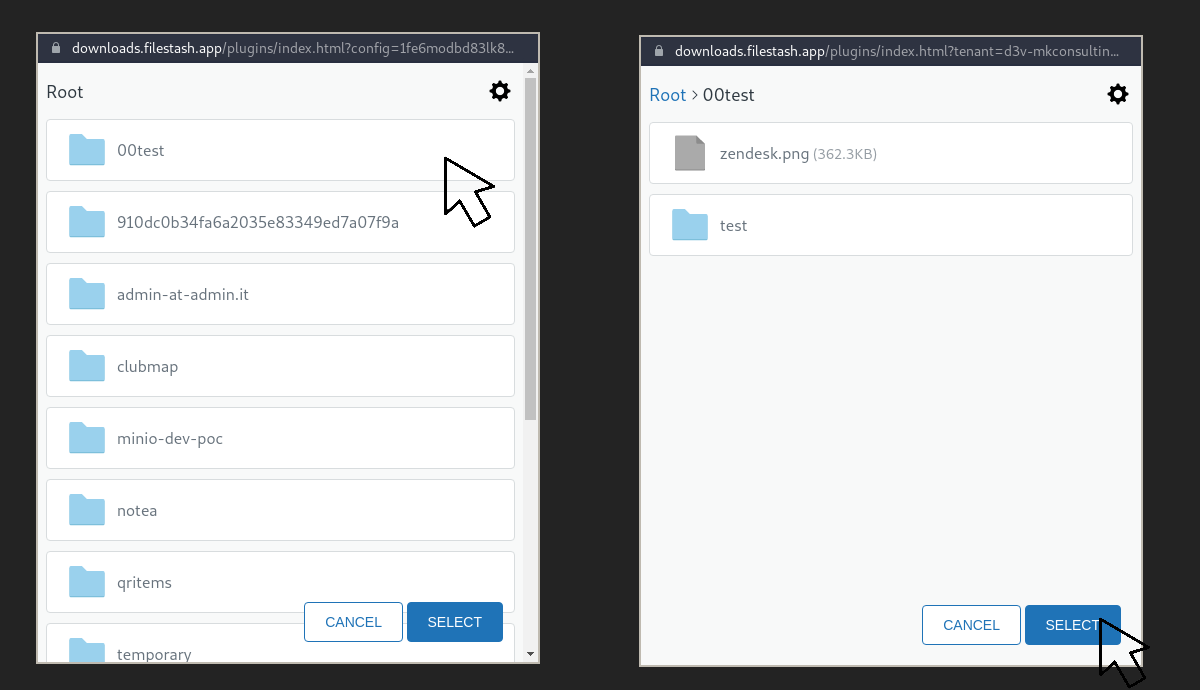
S3 Viewer
We support a wide variety of documents. Images will be loaded directly from the ticket while PDF, txt, word, excel or PowerPoint will be embedded directly from the integrated S3 viewer. We also support embedding entire folders from S3 which will open through the integrated S3 Explorer
Support
The application works with AWS S3 compatible storage like Minio and Backblaze. For questions and support, head to the dedicated support portal
Detalles de la aplicación
Cómo instalar
Install the application from the Zendesk marketplace
- From the editor, click on the bucket icon:
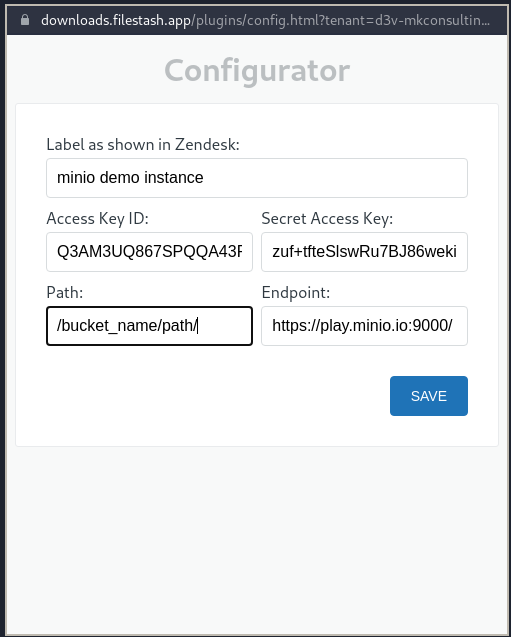
- The config screen should open up. From there you can setup the account you want to use. For demo purpose, you can use the minio playground, an s3 compatible storage using the following settings: "Q3AM3UQ867SPQQA43P2F", "zuf+tfteSlswRu7BJ86wekitnifILbZam1KYY3TG" and "https://play.minio.io:9000/":
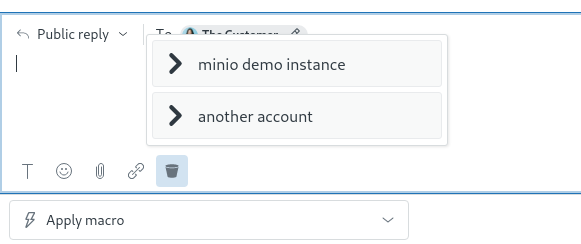
- From this screen you can setup as many accounts as you want and as many configuration you need. Whenever you have more than 1 accounts shown from the configurator, user will be shown the label:
Dejar una evaluación
Comparte tu experiencia con el resto de la comunidad Zendesk