Intent Detector
AI-powered ticket intent detection and routing for Zendesk Support.
About this app
About this app
Turn messy tickets into clean, structured Zendesk data. 
Intent Detector figures out what each ticket is about, then fills the right Zendesk fields.
Reads each incoming request
Detects what the inquiry is about
Fills the right Zendesk fields automatically
What it picks up
Detects contact reason from ticket content
Works with most Zendesk field types: dropdown, number, text, and multiselect
Fills fields like Inquiry Type, Order ID, Product, and Price
Works with your selected ticket form
Writes structured values directly into Zendesk
It unlocks 
Faster ticket routing
More consistent reporting
Less repetitive manual work for agents
How it works 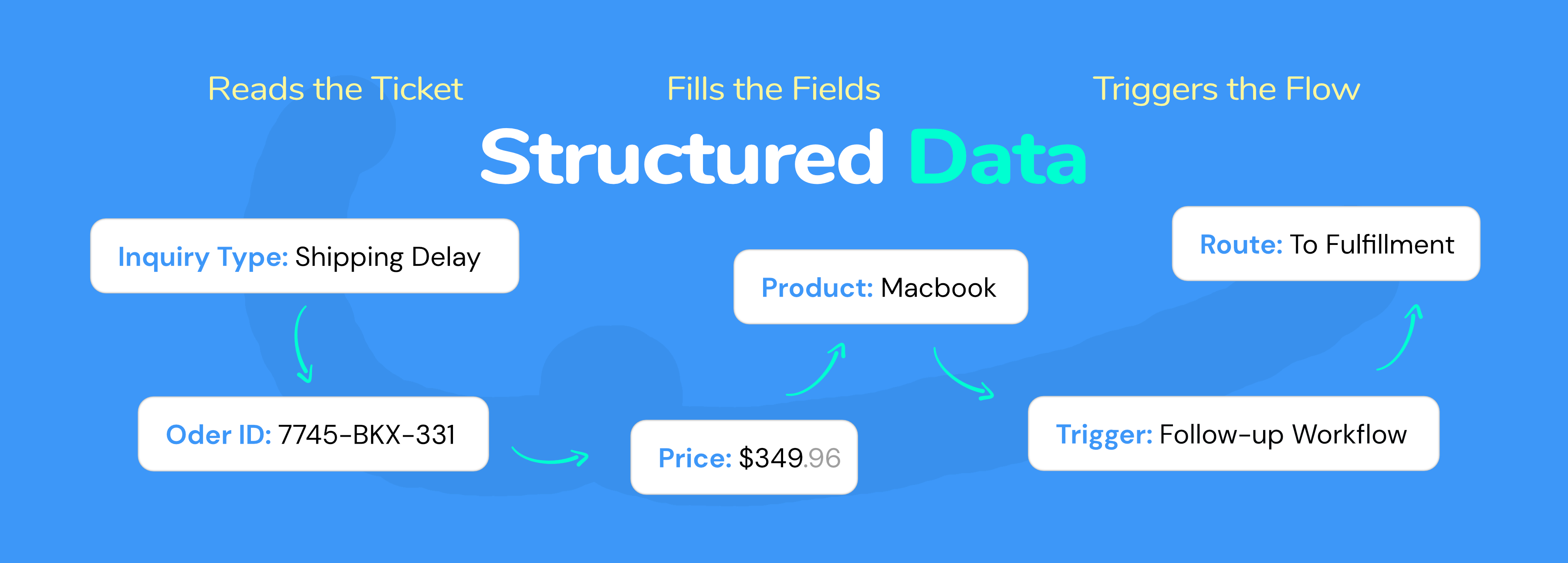
Choose a Zendesk ticket form
Select the fields Intent Detector should fill, such as Inquiry Type, Order ID, Product, Price, etc.
- When a new ticket comes in:
Intent Detector reads the message content and identifies what the request is about
It writes the right values into your selected Zendesk fields
Those fields can then trigger routing, workflows, and reporting automatically
All powered by GPT-5 mini.
Common use cases
Route any inquiry types to the right team
Capture product fields automatically
Trigger internal follow-up workflows
Install
Click Install
Choose a plan
Add your custom fields to sync
Done
Set it up in minutes, let Intent Detector handle the repetitive field work, and keep tickets moving.
Data Disclosure
By using this app, you agree to our Terms of Use. Please review our data handling practices, AI usage policies, and your responsibilities at https://roca.work/intent-detector-terms before proceeding.
Detalles de la aplicación
Cómo instalar
Prerequisite: You must have a Zendesk Support account with administrator access.
Log in to Zendesk Support as an administrator.
Open Admin Center, then go to Apps and integrations > Apps > Zendesk Support apps.
Click Install on Intent Detector.
During installation:
Review the required permissions.
Complete the in-app authorization to connect your Zendesk account.
Choose a plan prompted.
Complete the installation.
Open any Zendesk ticket and locate the Intent Detector app in the app sidebar. In Settings, sync a custom field (text, dropdown, or multiselect) for the AI to populate. The app will automatically detect intent when new tickets are created.
Dejar una evaluación
Comparte tu experiencia con el resto de la comunidad Zendesk