ChatGPT AI Copilot by Macha
AI copilot for agents — Create amazing replies, Best-in-class translations
About this app
Create faster & better replies in 80+ languages
Why agents love Macha AI
✍🏻 Fast, Reliable Replies: Create complete replies with just a few words
🗣️ Dictate Mode (Talk to Type): Speak your response and let AI turn it into a polished reply
🌍 Best-in-Class Translations: Reply, understand or summarise in any language
🦸♀️ Agent Style + Brand Tone: Consistent replies in the style of your brand and agent
🧠 Ticket Summaries: Get key highlights and suggested next steps
🔗 Knowledge Sources: Connect sources like Shopify, Notion and more
✨ Create responses with a few words
Just give the highlights of your response, and the AI will create a complete response for you. Never waste time writing a reply again!
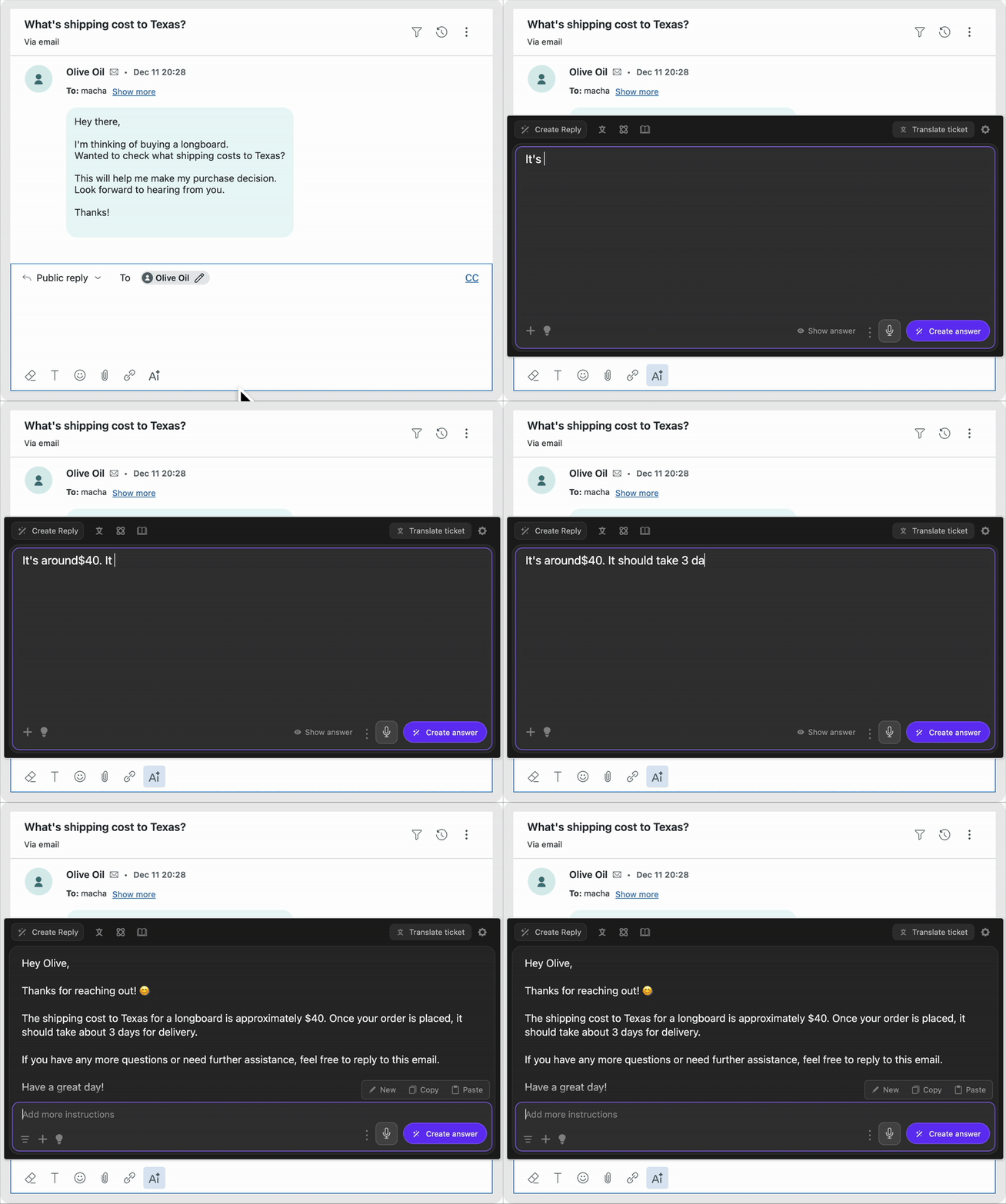
🗣️🎙️ Dictate instructions with your voice
Use dictate mode to 'speak' your instructions instead of type. Then let Macha AI convert your instruction into a clear, customer-ready reply.
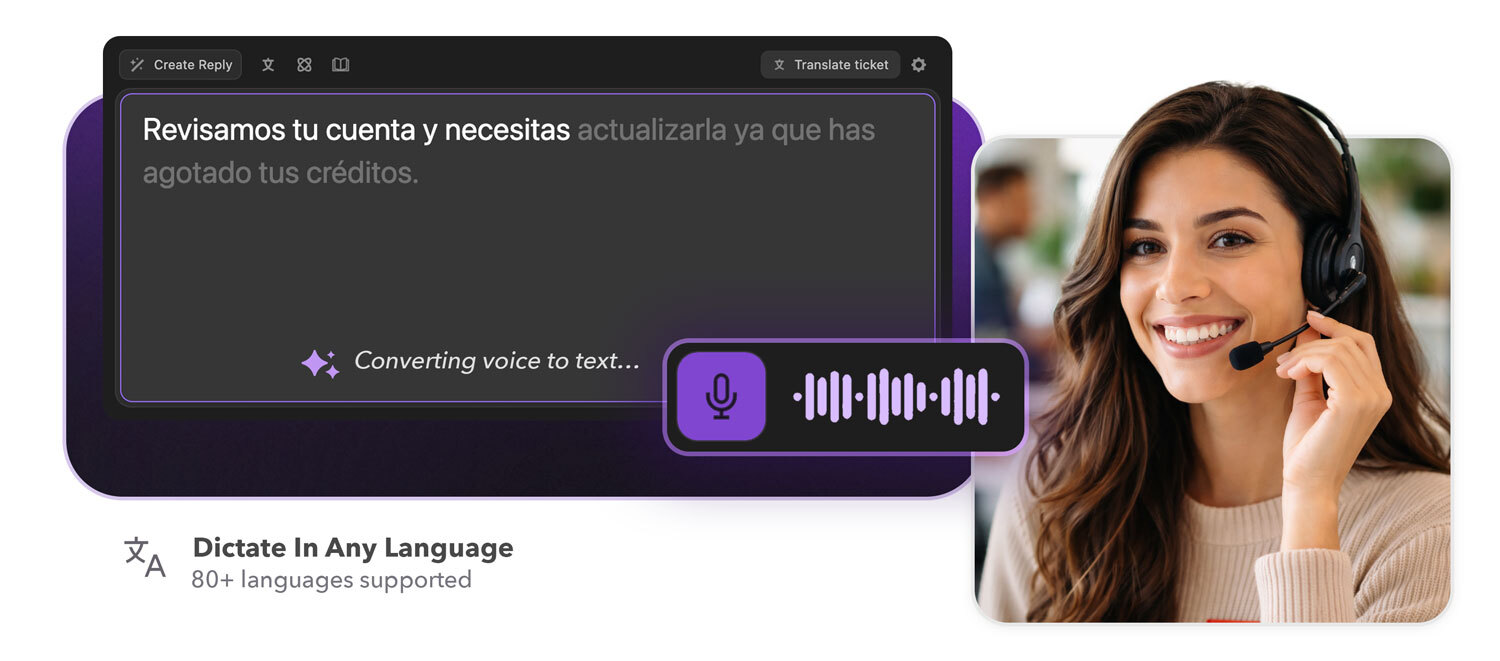
🌐 Translations in 80+ languages
Best-in-class translation features that help you understand and communicate in any language.
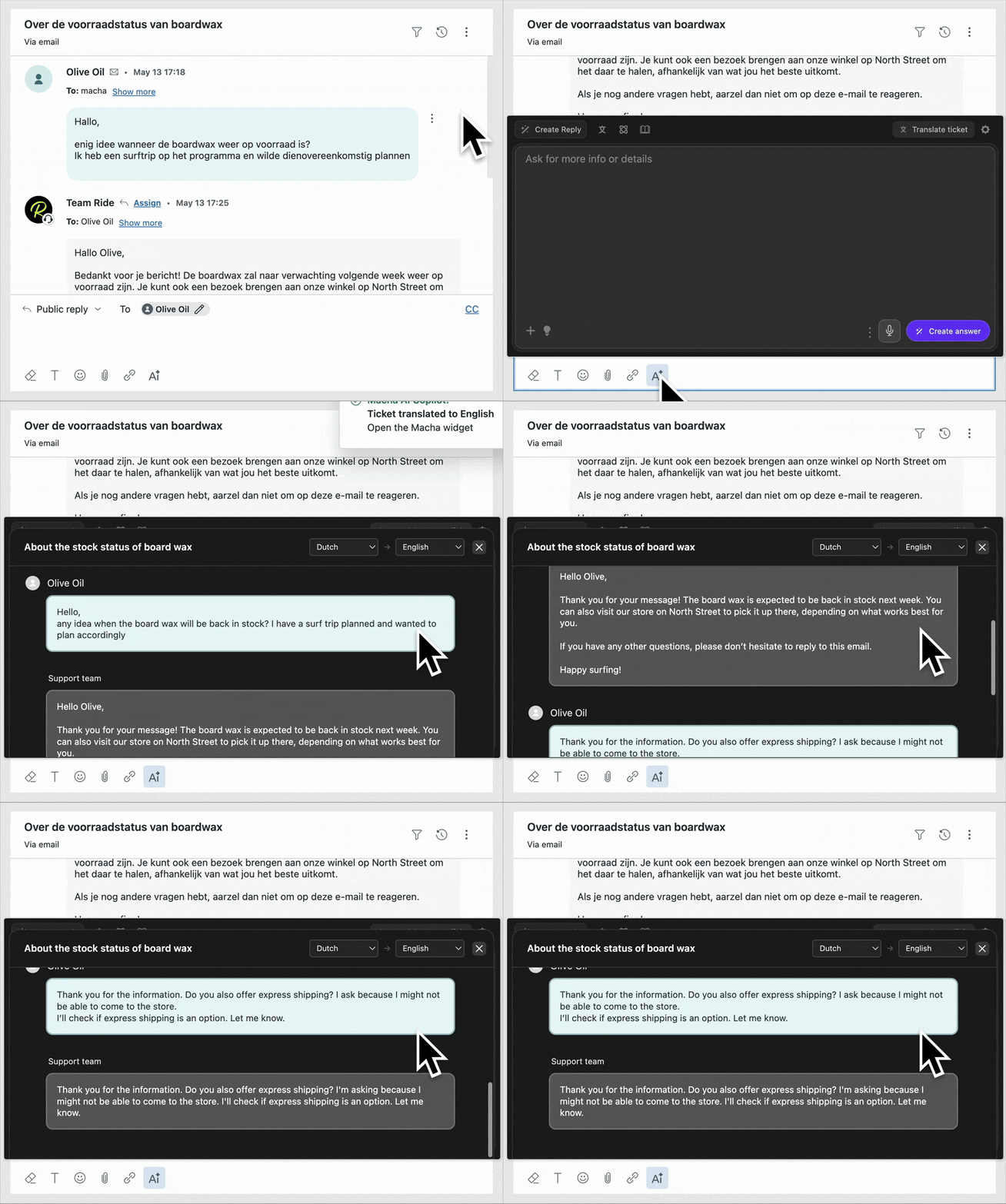
🦸♀️ Brand tone and agent style
AI adopts the agent's writing style and brand persona, creating consistent replies.
📚 Use help center for answers
Tell the AI which article, macro or knowledge source to use while creating replies.
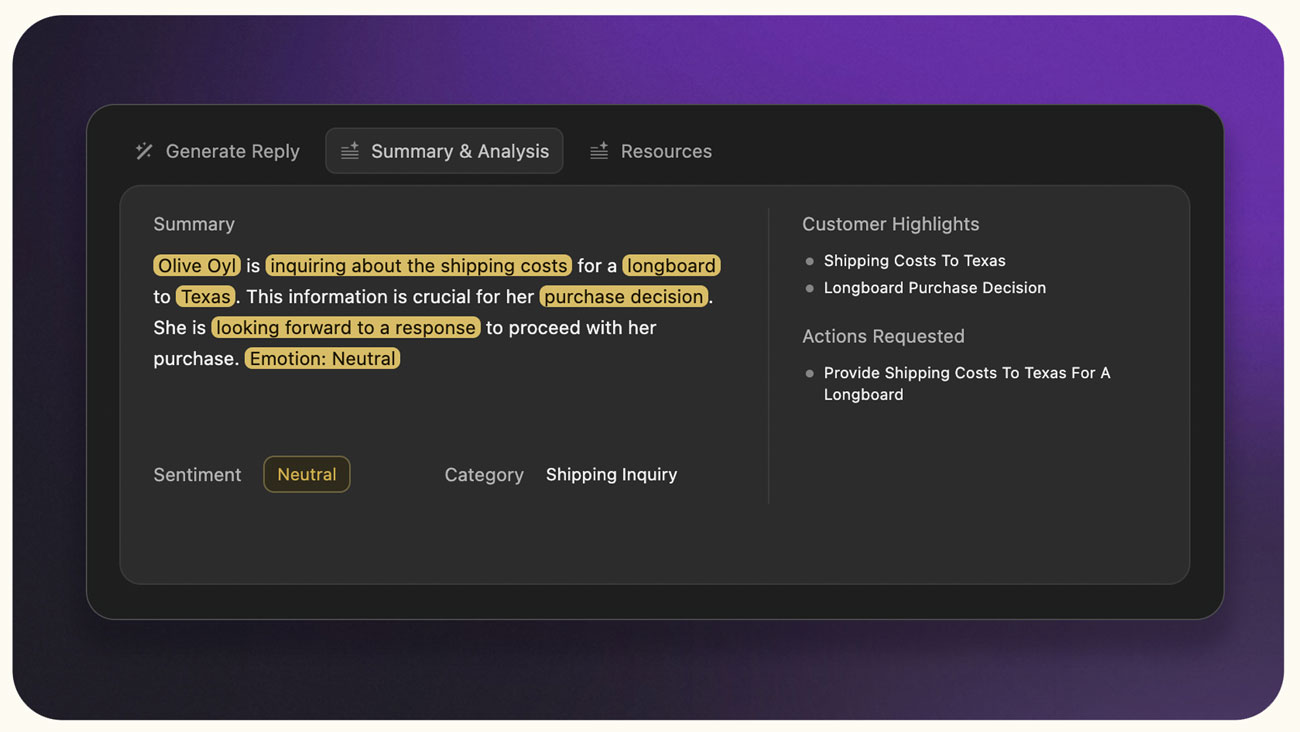
🧾 Summary and analysis
Ticket summary, highlights and suggested next steps to help you close tickets faster.
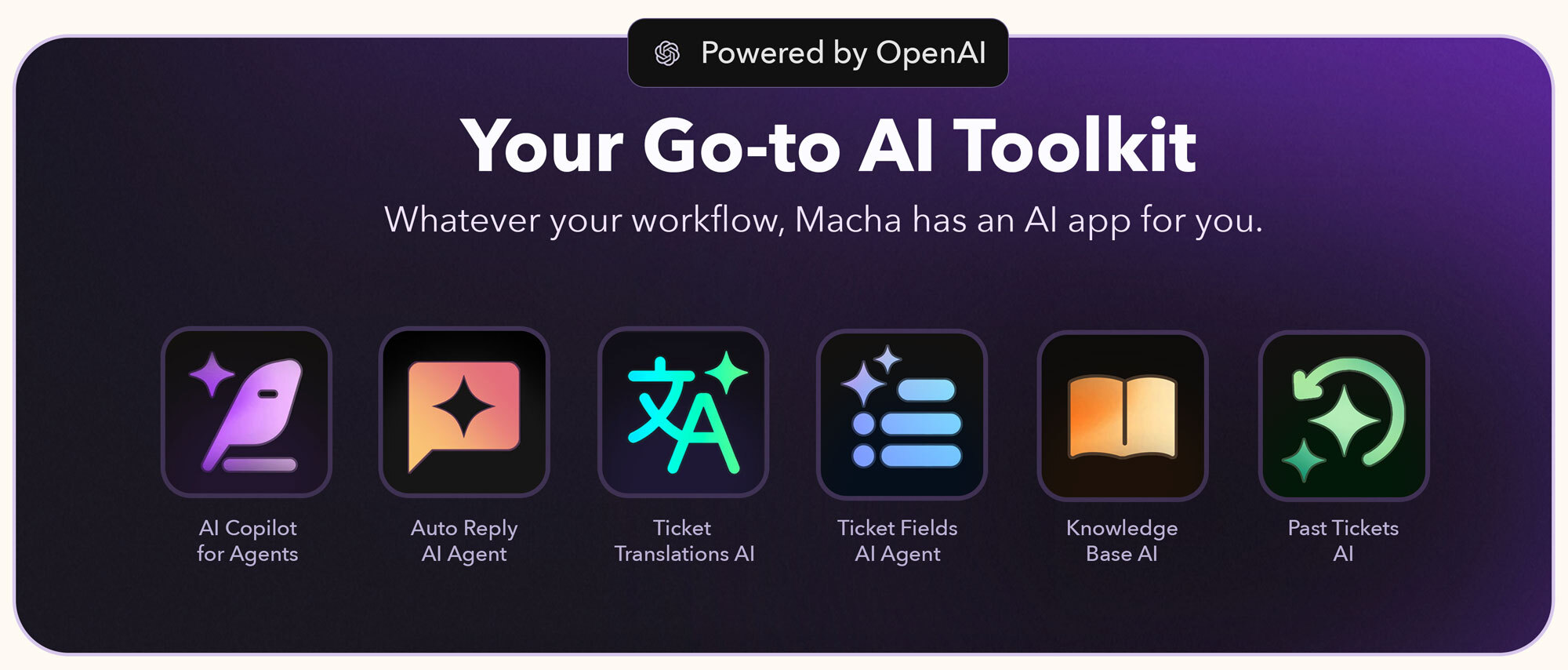
🧩 Explore the complete Macha AI app suite
Discover all our Zendesk apps here: Macha AI App Suite

Got questions?
Learn more about us at getmacha.com
Book a demo or onboarding session: Book a Quick Slot
Data Security at Macha AI
We prioritize data security to ensure your information remains safe. Here's how we protect it:
Minimal Data Storage: We only save what's essential—AI-generated content—while excluding customer details and tickets.
Strict Data Encryption: All stored data, including knowledge base information, is fully encrypted for maximum security.
PII Redaction: Any personally identifiable information (PII) is automatically redacted before data is stored.
View our Privacy Policy. Learn about our Security. Learn how we Protect and Process Data.
Detalles de la aplicación
Cómo instalar
Just 3 Simple Steps to Go-Live
Install the Macha AI app on your Zendesk
Open any support ticket and click on the 'Ai' icon in the editor
Then click on 'Connect account' and complete the Zendesk connection
Done, the Macha widget is now active on your Zendesk instance.
Start Using Instantly
You can start using Macha AI as soon as you install and connect it. The whole process of installing the app, connecting it and starting using it takes less than two minutes.
Need support? Just write to us
Dejar una evaluación
Comparte tu experiencia con el resto de la comunidad Zendesk