The 10 best ITSM integrations
Connect your ITSM platform with the best integrations to automate workflows, cut resolution times, and scale IT service management seamlessly.



Justine Carroll
Director, Product Marketing
Última actualización en December 11, 2025
A guide to the best ITSM integrations
There’s one thing all successful ITSM systems have in common: integrations. At its core, IT service management delivers IT services to both customers and employees, bringing efficiency and reliability to everyday operations. But with the right ITSM integrations, businesses can take their CX (customer experience) and EX (employee experience) to the next level.
By combining strategic integrations with Zendesk ITSM, companies can create a centralized hub that transforms service operations. This guide is here to help you understand how ITSM integrations work, which tools are worth integrating, common challenges you may face, and how to choose the best integrations for your business needs.
More in this guide:
- What is an ITSM integration?
- Types of ITSM integrations
- How ITSM integrations work
- The 10 best ITSM integrations
- Common challenges with ITSM tool integrations
- ITSM integration best practices
- How to choose the right ITSM integrations
- Try the best ITSM integrations with Zendesk
What is an ITSM integration?An ITSM integration happens when a digital tool or software is connected to an IT service management platform. By integrating other applications into a pre-existing IT environment, businesses bring all tools together in one place. This increases efficiency, limits time wasted jumping between uncoordinated platforms, and unifies support access—especially when ITSM best practices are followed. |
Types of ITSM integrations
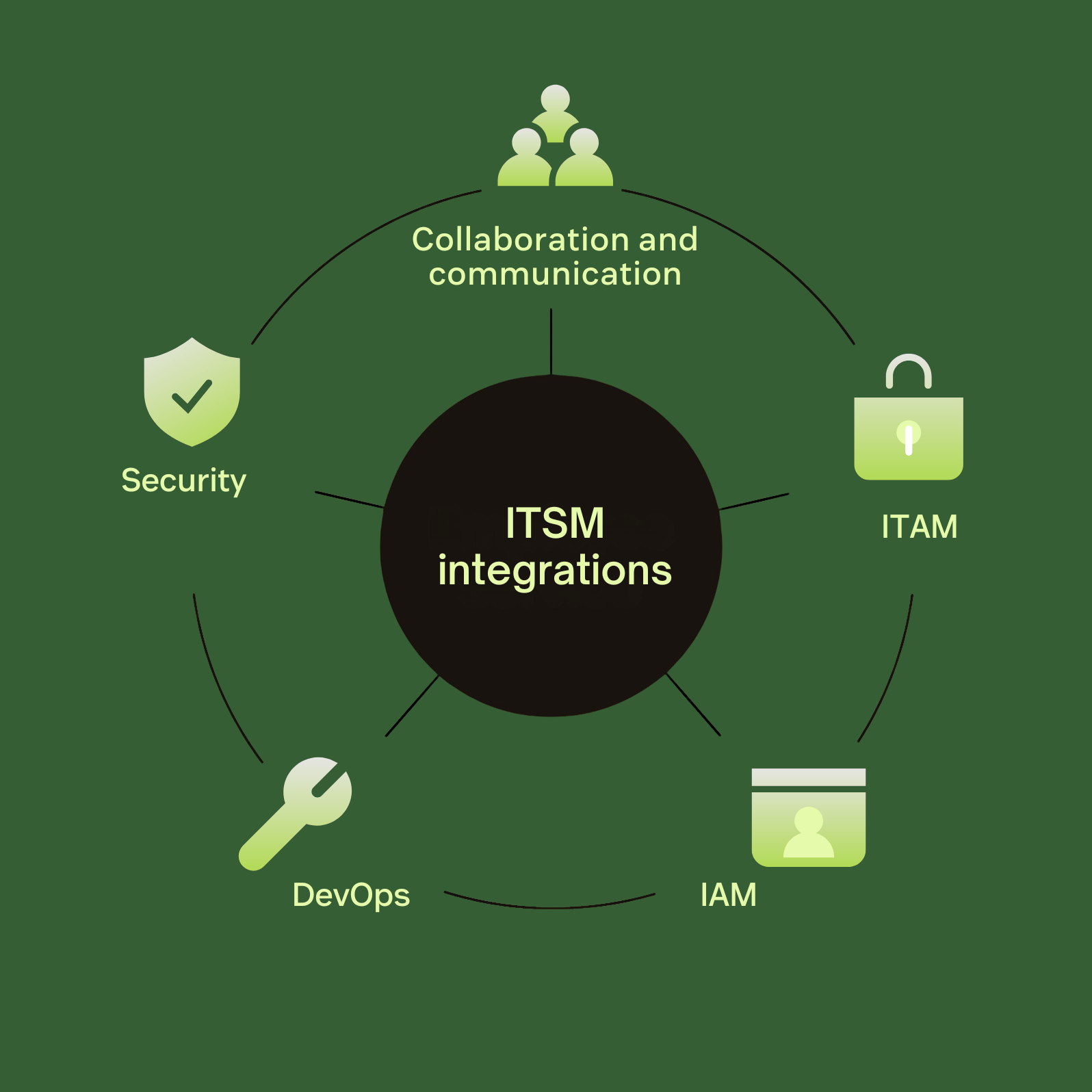
There are all kinds of IT service management integrations, meeting the varied needs of different organizations. These integrations cover all bases, from communication and collaboration to asset management. Here are some of the main integration categories and the business problems they solve:
|
Integration category |
Problem solved |
|
Collaboration and communication |
Uncoordinated support: Integrating IT support with communication channels makes assistance more accessible for customers and employees alike. Support agents no longer get caught up chasing tickets spread across multiple platforms. |
|
IT asset management (ITAM) |
Visibility and context gaps: Integrating ITAM into ITSM ensures that help desk agents see the whole picture when an incident is reported, with asset data automatically being included in the ticket. In turn, problems are resolved faster and with greater precision. |
|
Identity and access management (IAM) |
Disjointed onboarding and offboarding: Manually managing user access for multiple accounts opens the door to delays, duplicates, and orphan accounts. An ITSM integration automates account provisioning and establishes role-based access control across platforms. |
|
DevOps |
Unmonitored changes: Without ITSM, changes to code can slip by unnoticed and untracked, reducing team accountability when something goes wrong. Integrating DevOps tools with ITSM means that every change is automatically logged and made visible across teams. |
|
Security |
Unattended security alerts: If alerts aren’t communicated properly across teams, there’s a significant risk of a breach. When integrated with ITSM, security tools can automatically trigger a ticket to be routed to the correct team when an alert occurs. |
How ITSM integrations work
Fundamentally, an ITSM integration connects your IT service management system with other digital tools, often via APIs. Data is shared between these platforms, allowing users to access the capabilities of all kinds of different software from one centralized place.
Workflows can be set to seamlessly weave between different software, with one action completed in Zendesk triggering another in Slack, triggering another in Okta, for example. ITSM integrations reduce the headache of competing systems and platforms and bring convenience to IT teams, customers, and employees.
An ITSM platform like Zendesk for ITSM that integrates with a wide range of apps and is bolstered with AI has the power to revolutionize your workflows and truly transform both CX and EX.
The 10 best ITSM integrations
We’ve collated the top 10 Zendesk-approved ITSM integrations for all kinds of workflows. All can be found within the Zendesk Marketplace, alongside a description of how the integration works.
JIRA software: Best for DevOps and engineering issue tracking
Integrating this project and issue tracking software connects support and engineering teams, meaning that critical data is easily shared between the two.
Pros:
- Easy task organization and delegation
- Highly customizable dashboards
- Clear tracking of development issues
Cons:
- Can run slowly with large projects
- Requires expertise for custom workflows
With a Zendesk and JIRA integration, engineers can access a holistic view of an issue and all customer conversations related to it, leading to faster resolutions. JIRA also natively connects with Zendesk’s Action Builder, making automating cross-system workflows completely straightforward. Explore all JIRA integrations in the Zendesk Marketplace.
Slack: Best for team collaboration
Slack is a household name for good reason. Helping companies of all sizes bring teams together with channels, direct messaging, and huddles, Slack is a fantastic collaboration tool.
Pros:
- Ticket updates automatically posted into Slack channels
- Connects IT teams with support agents effortlessly
- Intuitive interface
Cons:
- Needs to be managed effectively to avoid notification overload
- Messages can be lost when dealing with multiple teams and chats
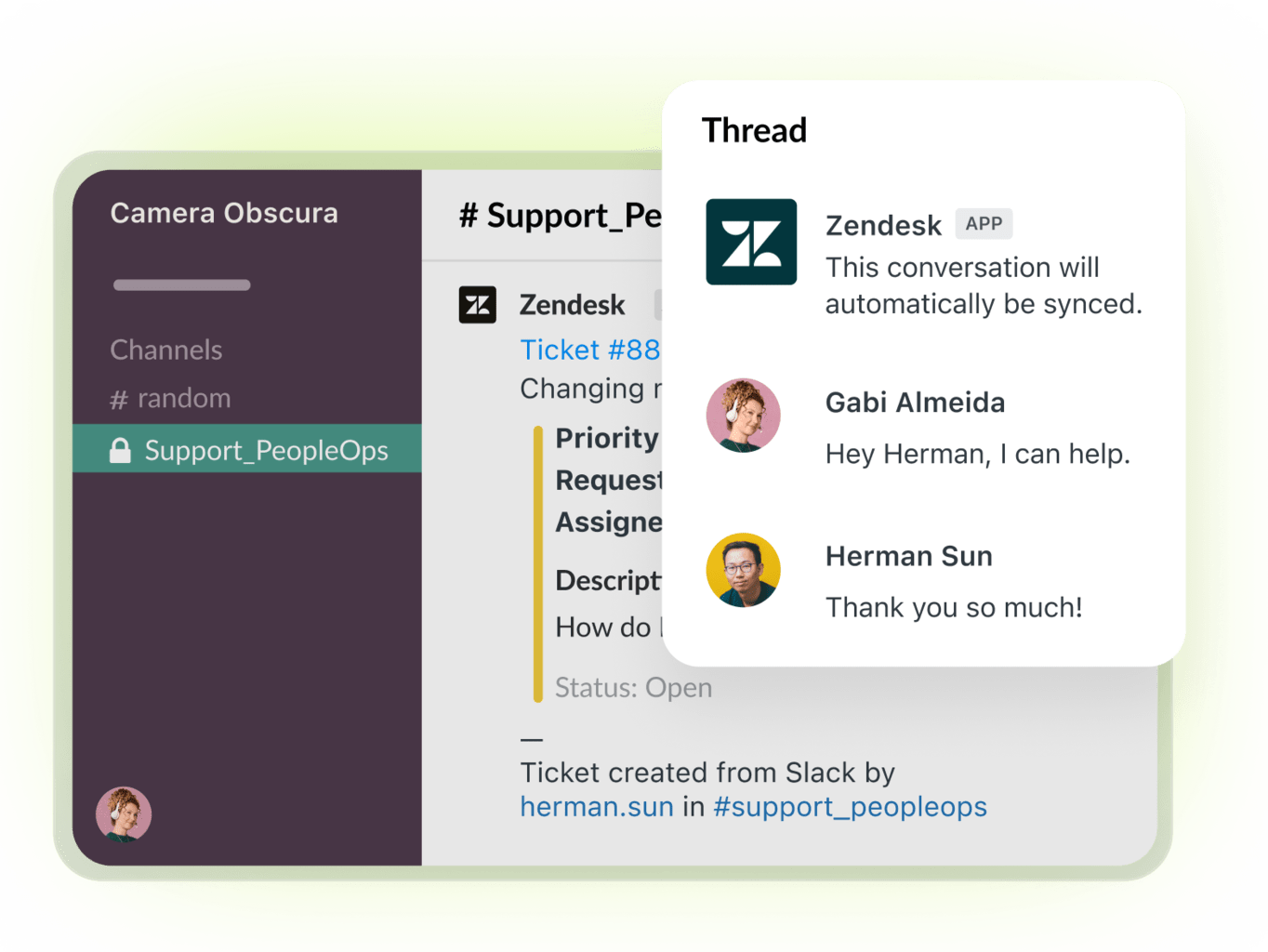
Integrating Zendesk with Slack makes life ten times easier for support and IT teams. Agents receive real-time notifications for Zendesk tickets in Slack, bringing all customer interactions together in one place. See how Zendesk integrates with Slack.
Microsoft Teams: Best for Microsoft 365 environments
Teams is a convenient and intuitive solution for communicating with colleagues. If your organization is settled in the Microsoft 365 ecosystem, even better. Integrating Teams with ITSM allows agents to deal with support tickets directly from the platform.
Pros:
- Streamlines collaboration for Microsoft 365 users
- Personalized view of ticket activity
Cons:
- Common glitches
When integrated with Zendesk, Microsoft Teams allows support agents to view, create, or update Zendesk tickets from the platform. If you’re used to Teams chats, the good news is that you can get real-time notifications about ticket type, status, or priority within both chats and channels. Learn more about the Zendesk-Microsoft Teams integration.
PagerDuty: Best for on-call alerting and incident response
Specializing in fast and precise alert reporting, PagerDuty is an incident management platform designed for IT departments. This solution helps teams stop incidents in their tracks, leading to more consistent customer and employee satisfaction.
Pros:
- Fast and effective escalation process
- Multi-channel alerts
Cons:
- Limited free plan
- Additional cost for AI functionality
The PagerDuty integration is incredibly straightforward, taking only a few minutes to set up. This unlocks the software’s impressive notification technology, guaranteeing that the right person is alerted at exactly the right time. Find out more about Zendesk’s integration with PagerDuty.
Datadog: Best for monitoring and observability
Datadog is a cloud-native Saas platform that monitors infrastructure, application performance, and logs. This software is the best friend of dev and ops teams, helping them identify errors and bottlenecks with tools for monitoring user sessions.
Pros:
- Accessible metrics and log data
- Customizable dashboards
Cons:
- Expensive for small teams
- Learning curve
By integrating Datadog with Zendesk ITSM, support agents can provide tailored support with the help of session replays and recurring issue playlists. See how Zendesk integrates with Datadog.
Okta: Best for identity and access management (IAM)
Okta, a cloud-based IAM platform, deserves praise for how it streamlines account access with single sign-on technology (SSO). Bypassing the need for password managers and multiple credentials, it completely takes the hassle out of account management.
Pros:
- Centralized app with seamless functionality
- Secure verification options
- Flexible access options
Cons:
- High costs for small teams
The combination of Zendesk and Okta is perfect for companies using multiple apps in everyday workflows. Okta offers a free version that connects with Zendesk, or users can easily upgrade to premium. Discover more about how Okta integrates with Zendesk.
Workday: Best for employee context and lifecycle automation
Widely used across all kinds of companies, Workday transforms HR processes like onboarding, employee data management, and payroll. It also speeds up ticket resolution as IT teams can quickly surface key employee context directly in the platform.
Pros:
- Easy to navigate interface
- Helpful dashboard and reporting capabilities
- Extensive integrations
Cons:
- Limited customization
- High costs for small companies
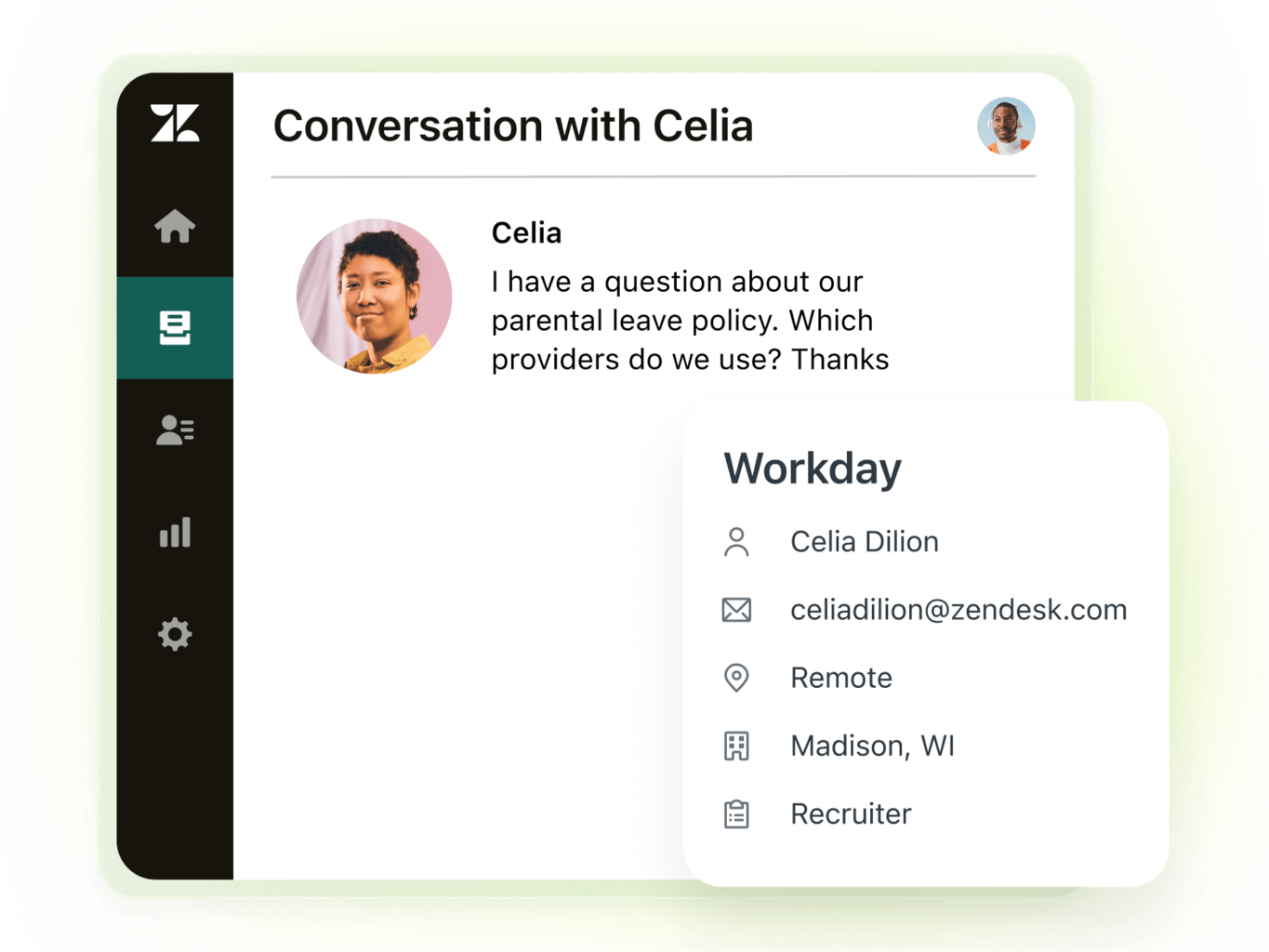
Workday brings you just one place where teams can manage people, applications, and policies, saving time and headaches. It’s a win-win, keeping IT, HR, and fellow employees happy and in-the-know. Get started with the Zendesk and Workday integration.
Oomnitza: Best for enterprise ITAM and CMDB enrichment
Oomnitza focuses on technology management for enterprises, helping IT teams to track hardware, software, and cloud assets. The beauty of this solution is that organizations gain a complete 360 degree view of their IT assets, from mobile devices to cloud services.
Pros:
- Full asset view spanning lifecycle
- Makes troubleshooting easier
- Intuitive automation
Cons:
- Requires configuration efforts
Zendesk customers can enjoy real-time asset intelligence integrated directly into their workflows. With immediate access to device and infrastructure statuses, IT teams can offer top-level ticket resolution and services. Plus, automated IT processes supercharge efficiency and help companies manage their assets in an affordable and responsible way. Learn how Oomnitza integrates with Zendesk.
NinjaOne: Best for endpoint and device management
NinjaOne is an endpoint and remote monitoring and management solution that relieves IT teams from the burden of repetitive manual tasks. The platform guarantees top-tier visibility and security, giving IT agents complete control of all endpoints.
Pros:
- Real-time device status
- Automated scripting and patching
Cons:
- Limitations in advanced features
Integrating NinjaOne with Zendesk enables you to search for devices in NinjaOne and assign them to Zendesk tickets. You can even view the real-time status of devices and launch remote sessions with ease. Find out more about how Zendesk integrates with NinjaOne.
Workato: Best for iPaaS workflow automation
Workato is a well-regarded integration platform (iPaaS) that specializes in automating workflows and organizing task management. This solution drastically cuts back wasted time on menial tasks like data entry and streamlines how platforms interact with each other.
Pros:
- No-code automations
- Easy implementation of integrations
- Library of pre-built connectors
Cons:
- Learning curve
- Troubleshooting issues
Workato provides a fantastic solution for customizing your Zendesk integrations. This will save your agents precious time and all teams will benefit from interconnected, smooth-flowing automations. Get started with the NinjaOne-Zendesk integration.
Common challenges with ITSM tool integrations
It’s not unheard of to come across some hiccups when integrating tools into an ITSM system. The best approach is to get to know what you’re up against before you start integrating, so here are the most common challenges you may face.
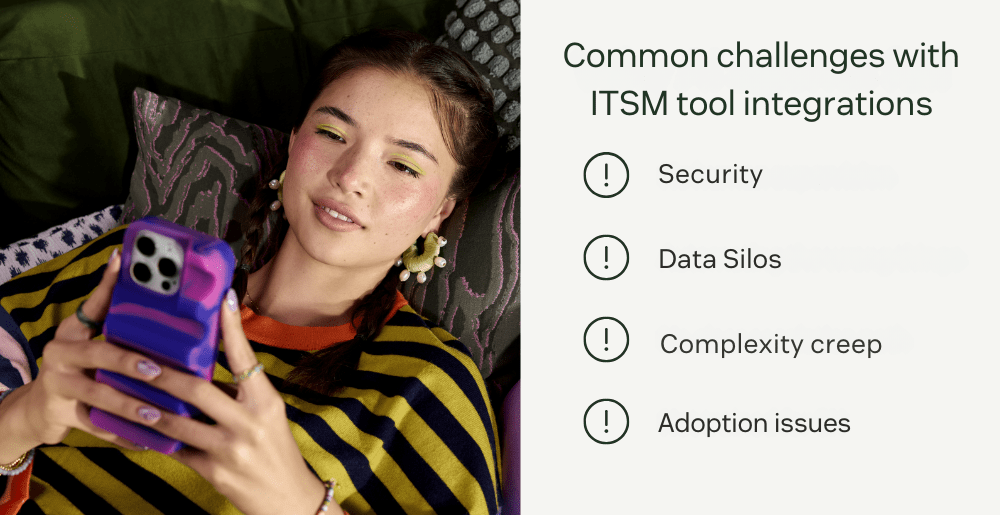
Security
Arguably the most important challenge is the risk to security associated with ITSM integrations. It’s vital to grant access permissions carefully and ensure integration controls are tight, as sensitive data is often transferred during integrations.
Data silos
Large companies and enterprises often store vast amounts of data across multiple platforms. Without well-planned ITSM integrations, they run the risk of creating data silos where information isn’t shared between systems consistently. Poorly designed integrations increase the chances of data loss and inaccuracies caused by incomplete syncing and mismatched data across sources.
Complexity creep
Plenty of ITSM solutions have taken the heavy lifting out of integrations (it only takes a few minutes to integrate your existing tech stack with Zendesk). But this isn’t always the case. Custom integrations require technical expertise and ongoing monitoring, which hike up the costs long-term.
Adoption issues
We can all relate to this last challenge. Sometimes we just don’t want to adapt to new systems and software. Without proper training, teams may struggle with members shying away from the new way of doing things and instead stick to what they know.
TSM integration best practices
The issues listed above may seem daunting, but if you lead with these ITSM integration best practices, those challenges will turn into triumphs.
- Start with high-volume and high-impact workflows: Prioritizing workflows that will make the biggest difference is a great place to start. For instance, begin on a small scale by integrating HRIS to streamline onboarding, and then level up with confidence.
- Keep it simple with prebuilt marketplace apps: Zendesk Marketplace is home to over 1200 apps that can be integrated into your existing workflows in minutes.
- Monitor integrations carefully: Take time to test integrated workflows end-to-end before launching. Once up and running, make use of incident management software to automate logging, tracking, and resolution of incidents.
- Leverage AI in ITSM: Kick off your new workflows by using AI to automate repetitive tasks, relieving IT teams from time-consuming busywork. Agentic AI in ITSM is a gamechanger when it comes to enhancing IT efficiency.
- Involve stakeholders early: To alleviate adoption issues, it’s vital to provide IT, HR, and security teams with actionable training on how the integrations work, what the new workflows look like, and why adopting these new systems is so important.
How to choose the right ITSM integrations
It’s clear by now that choosing the right ITSM integrations requires careful consideration. Here’s a checklist of factors to run through before you get started.
Business needs
The key is quality over quantity. For each ITSM integration, consider the following questions to ensure you’re picking the most suitable tools:
- Will this integration address specific pain points?
- Will it bring it high-impact results (e.g. improved efficiency or savings in time and money), making the transition worth it?
- Are your pre-existing systems compatible with the ITSM integration?
- If the tool isn’t integrated via an open API, does your team have the expertise to integrate it properly?
Time to value
Depending on the urgency of the problem you’re seeking to solve, an ITSM integration may need to be deployed immediately. Check the platform marketplace for pre-built integrations, like Zendesk and Slack, as these will likely be completed within the same day.
Security and compliance
Don’t go full steam ahead without checking core security and compliance protocols, like access controls, end-to-end data encryption, and comprehensive compliance audits.
Scalability
Even if you start small with ITSM integrations, always plan ahead for scaling up in the future. As a safety measure, investigate the following:
- Can the software cope with a sudden increase in ticket volume?
- Is the tool user-friendly enough for non-IT teams?
- Are there costs involved in scaling up the software? Do they align with your business projections?
Cost/ROI
Expanding on the last point, businesses should consider the cost implications of initial implementation and growth. Ultimately, ITSM integrations should significantly reduce manual work and as a result, cut costs. However, this saving needs to be weighed up against licensing and subscription fees associated with each integration, now and in the future. The Zendesk Marketplace is your go-to hub, brimming with trusted and easy-to-integrate apps. Plus, the user reviews add an extra layer of security and confidence, minimizing any integration risks.
Try the best ITSM integrations with Zendesk
The right integrations reduce swivel-chair work, accelerate incident resolution, and give employees the seamless service they expect.
Zendesk for Employee Service makes integrations simple. With a flexible, scalable foundation and AI-powered automation, it connects Jira, Slack, Workday, Okta, and hundreds of other apps through the Zendesk Marketplace, without months of setup or costly overhead.
Explore how Zendesk can help you launch the right ITSM integrations, streamline your service operations, and improve employee satisfaction.
Justine Carroll
Director, Product Marketing
Justine is a product marketing leader with 15+ years of experience in B2B SaaS and consumer technology. She leads Zendesk's Employee Service product marketing team, helping departments like IT and HR deliver exceptional service through AI-powered, easy-to-use tools. Her favorite part of the job? Launching products that truly help customers and deliver real impact.