Simplesat for Support
CSAT, CES, NPS, and custom surveys in top multichannel integration.
About this app
Add one-click CSAT, CES, or NPS surveys to Zendesk email triggers. It only takes minutes.

Simplesat offers:
Fun and visually engaging surveys
More versatile delivery options
Multi-question surveys with conditional logic
Automated sharing of 5-star reviews
Rating and ticket info synced both ways
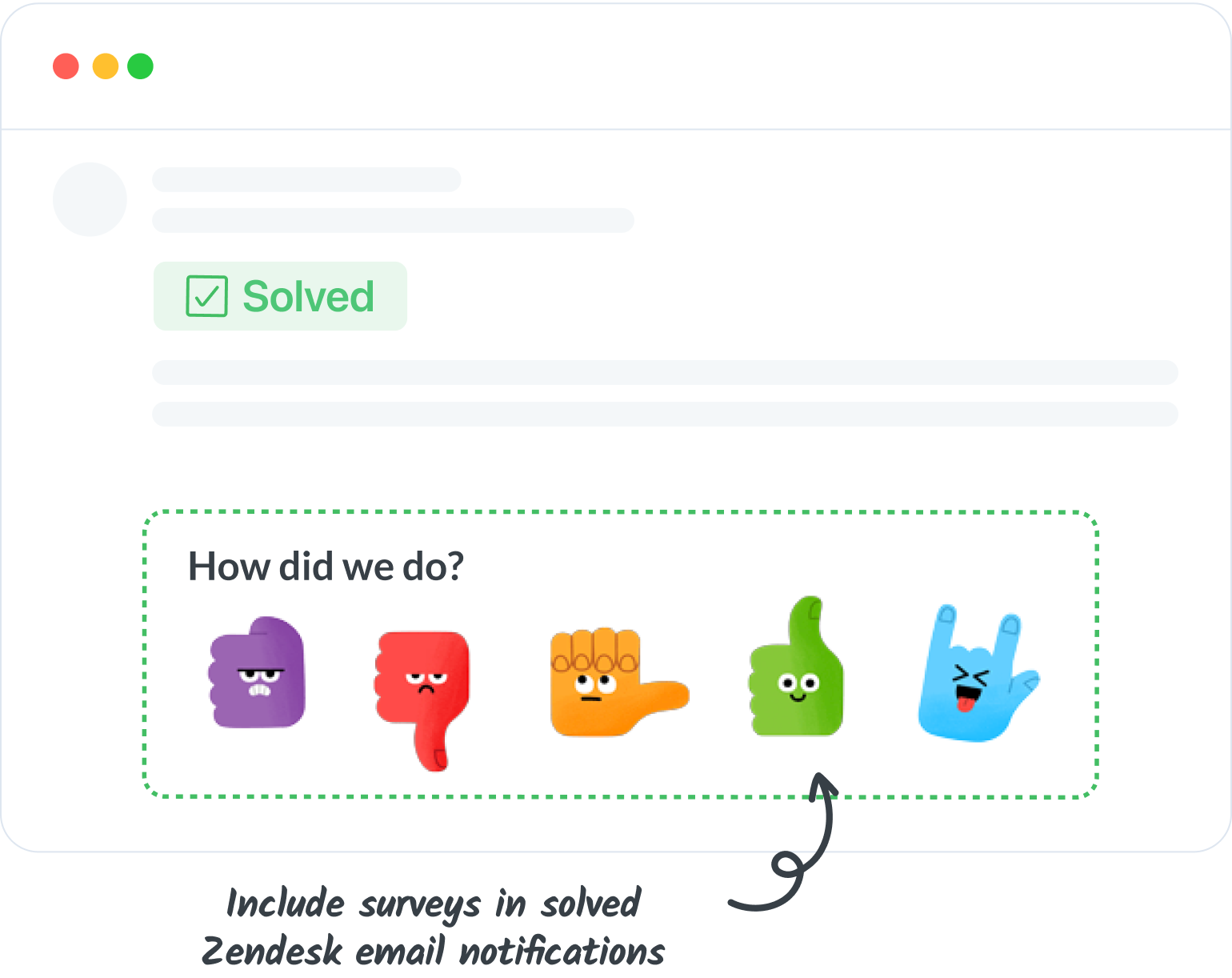
Add CSAT, CES, 5-Star, or NPS surveys to solved ticket emails
Embed one-click surveys directly into solved ticket Zendesk email notifications. The copy/paste process takes less than 5 minutes!
Works with Zendesk's event-based triggers or time-based automations. Inserting your survey in existing notifications means no extra emails for your clients.
Enhance Zendesk with Simplesat's deep integrations
Take your Zendesk experience to the next level by installing the Simplesat Zendesk App. With the app, you can seamlessly integrate Simplesat into Zendesk's interface, making feedback management even more transparent and convenient.
Key features of the Simplesat Zendesk App:
- Easy accessibility: Simplesat is readily available from your Zendesk interface, ensuring effortless access from any Zendesk page.

- Comprehensive user feedback: The app adds a right sidebar panel within Zendesk, providing access to user-specific feedback, including ratings and comments. In tickets, you can view related feedback specific to that ticket, while in the user view, you can see all feedback from that user.
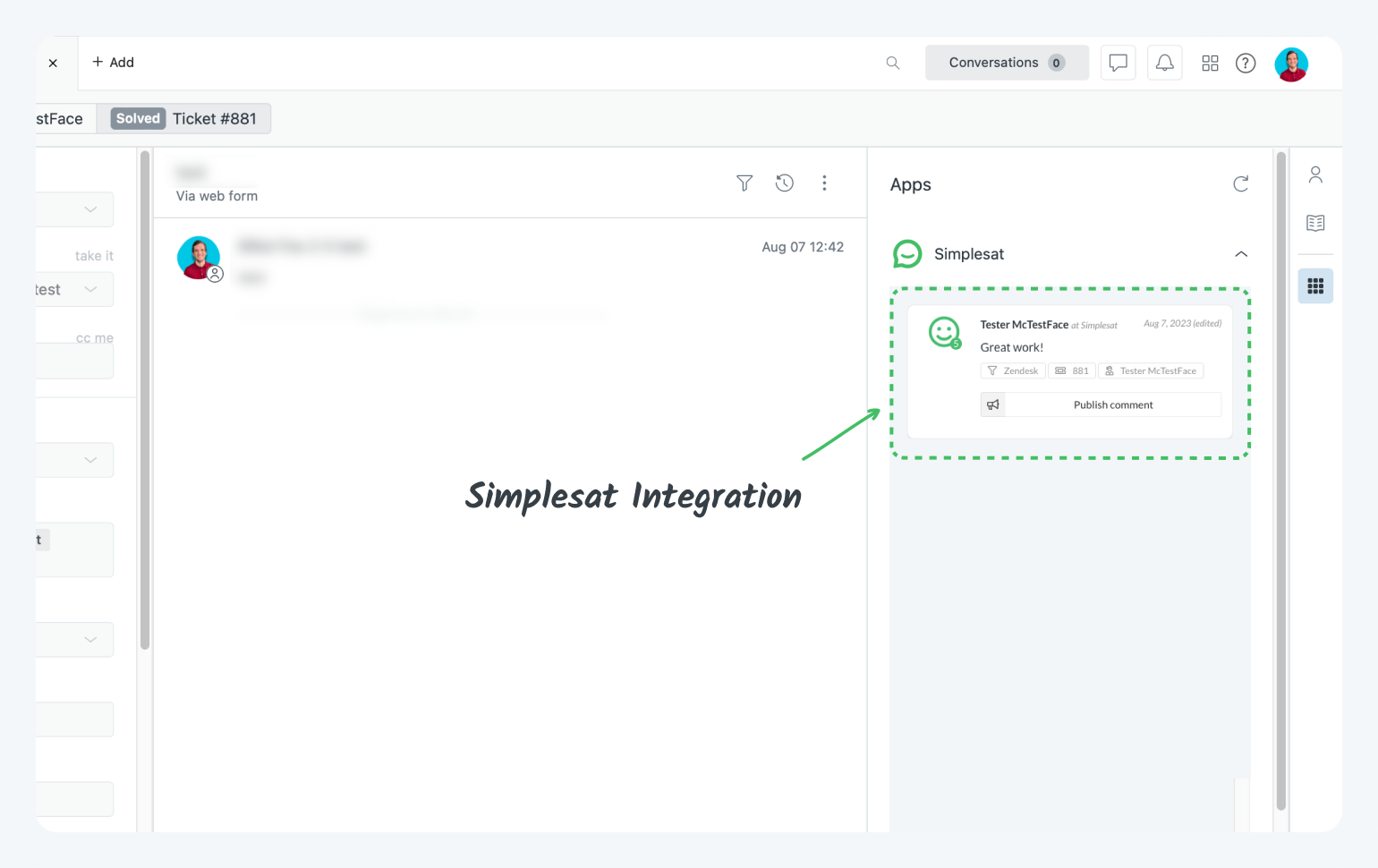 To learn more about the Simplesat Zendesk App and its installation, refer to the installation instructions and further details at the top of this page.
Learn how we handle your data in our privacy policy.
Detalles de la aplicación
Cómo instalar
If you haven't already, create a Simplesat account and start a free 14-day trial here.
Embedding a survey in a trigger or automation notification email
Create and build a new survey
For the delivery option, choose External email embed, and then Zendesk
Copy the survey code
Paste the survey in the notification email (we recommend using the existing email that gets sent when tickets are solved)
- Read the full documentation on embedding Simplesat surveys in Zendesk here.
To install the Simplesat app for Zendesk Support and embed Simplesat in your tickets, users and navigation bar
Click the install button at the top of this page to install the app in your Zendesk environment.
Go to your Zendesk dashboard and click the Simplesat icon in the left navigation bar.
Log in with your Simplesat credentials.
If you have any questions at all, please don't hesitate to reach out via live chat on our website or in the app. Or you can schedule a walkthrough demo with our team here.
Dejar una evaluación
Comparte tu experiencia con el resto de la comunidad Zendesk